Firefox VPN rozšíření: bezpečné, rychlé a soukromé surfování
Historie procházení toho o vás hodně prozradí, a proto se ExpressVPN snaží držet tyto informace daleko od nepovolaných rukou
- Šifrování přenosů v prohlížeči s VPN bez záznamů
- VPN servery v 113 zemích
- Funguje jako proxy v prohlížeči nebo ovládání celé VPN aplikace
Aktivovat zkušební verziStáhnout doplněk
Už máte ExpressVPN? Stáhněte si rozšíření pro Firefox nyní
-

IPHONE/IPAD -

Windows -

Android -

Mac -

Linux -

Router -

Chytrá TV -

Herní konzole
Jak používat VPN na Firefox
Získejte ochranu přímo v prohlížeči ve třech krocích
-
1. krok

Nainstalujte si VPN rozšíření pro Firefox
Pořiďte si ExpressVPN bez rizika* a nainstalujte si Firefox VPN rozšíření.
-
2. krok
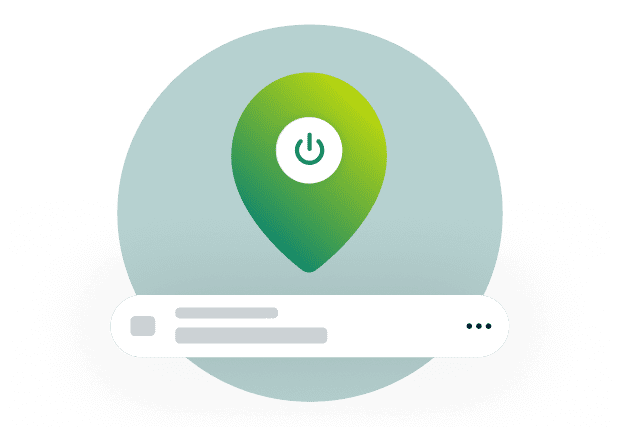
Zapněte VPN a připojte se k serveru
Vyberte si jeden z našich VPN serverů ze 113 zemí.
-
3. krok

Zkontrolujte, že VPN funguje
Přejděte na náš nástroj pro kontrolu IP adresy a ověřte si, že se vaše virtuální poloha změnila.
*Na nákupy předplatného přes Apple App Store (iTunes) nebo Google Play se 30denní záruka vrácení peněz ExpressVPN nevztahuje. Můžete však požádat o vrácení peněz samostatné obchody s aplikacemi, které žádost vyřeší dle vlastního uvážení.
Co je VPN rozšíření pro Firefox?
Rozšíření přidává šifrování a skrytí IP přímo do prohlížeče Firefox

K čemu Firefox VPN rozšíření slouží?
VPN rozšíření šifruje komunikaci v prohlížeči Firefox, čímž chrání vaše soukromí a současně mění virtuální polohu na polohu vybraného serveru.
Kromě šifrování nabízí VPN rozšíření pro Firefox i další výhody a přidává extra vrstvy ochrany soukromí a bezpečnosti při používání internetu.
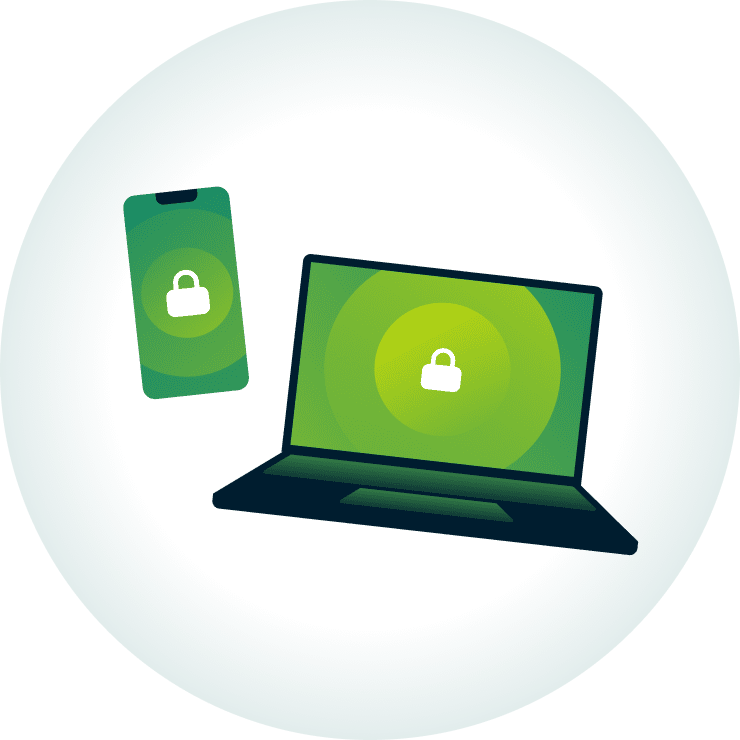
VPN aplikace vs. rozšíření: hlavní rozdíly
VPN rozšíření pro Firefox typicky chrání jen přenosy uvnitř prohlížeče, zatímco VPN aplikace pokrývá komunikaci celého zařízení.
Rozšíření ExpressVPN pro Firefox zvládá obojí: můžete ho používat samostatně jako proxy nebo v kombinaci s aplikací pro kompletní ochranu.
Potřebujete pro kompletní ochranu VPN aplikaci?
Ne nutně. Pokud řešíte pouze ochranu soukromí v prohlížeči, tak vám rozšíření bude stačit.
Pokud ale chcete chránit připojení a komunikaci i v ostatních aplikacích a dalších prohlížečích, bez aplikace se neobejdete.
Má Firefox integrovanou VPN?
Firefox vydal integrovanou funkci pro ochranu soukromí, která maskuje IP adresu, ale není to to samé co VPN
-

Integrovaná VPN Firefox vs. rozšíření pro prohlížeče
Integrovaná funkce Firefox je ve skutečnosti proxy služba, nikoliv kompletní VPN. Umí maskovat IP adresu, ale spoléhá přitom na existující HTTPS šifrování a nepřidává svou vlastní dedikovanou vrstvu šifrování.
VPN rozšíření pro prohlížeč nabízí ve srovnání mnohem silnější vrstvu šifrování a v mnoha případech i další ochrany jako třeba prevenci úniků přes DNS.
-

Omezení integrovaných řešení
Integrované řešení Firefox má výrazná omezení: 50 GB dat měsíčně, nemůžete si vybrat server, chráníte připojení jen v prohlížeči a momentálně je dostupné jen v USA, Spojeném království, Německu a Francii.
Dedikované VPN není typicky tímto způsobem limitované.
Proč používat VPN pro Firefox
Firefox VPN posiluje bezpečnost a chrání vás před škrcením rychlosti
Ochrana dat na veřejné Wi-Fi
Integrovaná ochrana soukromí od Firefox vás na veřejné Wi-Fi neochrání před hackery, co se snaží zachytit vaše online aktivity a nešifrovanou komunikaci.
ExpressVPN šifruje přenosy prohlížeče před opuštěním zařízení, takže je pro hackery výrazně složitější cokoliv získat. Rezervace letenek, odesílání e-mailů kolegům a používání účtů na veřejných Wi-Fi je tak mnohem bezpečnější.

Skrytí IP adresy a historie procházení
Bez VPN vidí všechny navštěvované weby vaši skutečnou IP adresu a lokální sítě nebo ISP mohou zase sledovat co a kdy na internetu děláte. Na základě těchto informací si mohou vytvořit váš osobní profil a sledovat vás nebo určit přibližnou polohu.
ExpressVPN se snaží co nejvíce omezit, kolik informací se o vašich online aktivitách k webům, ISP a lokálním sítím dostane. Společně s Anonymním oknem a blokací reklamních trackerů od Firefox vám zajistí výrazně lepší ochranu soukromí.

Prevence před škrcením rychlosti
Pohodlně se usadíte na gauč a těšíte se na příjemný filmový večer, ale obraz se najednou nechce přestat sekat. Důvodů může být několik a jedním z nich je i škrcení rychlosti při streamingu ze strany ISP.
Jedním z možných řešení je připojit se před otevřením streamingové aplikace k serveru ExpressVPN. Pro poskytovatele internetu pak bude náročnější rozpoznat a omezovat konkrétní přenosy (např. sledování obsahu).
Bezplatné vs. placené VPN pro Firefox
Placené VPN pro Firefox nabízí více možností zajištění ochrany soukromí a bezpečnosti
-

Bezplatné VPN pro Firefox
Některé bezplatné Firefox VPN sbírají data o vašich aktivitách a připojení a vydělávají na nich. Další nabízí jen proxy službu bez dedikované vrstvy šifrování (např. AES 256-bit), čímž hackerům jen usnadňují práci.
Ještě horší je, když bezplatné VPN šetří na infrastruktuře a používají peer-to-peer model. V tomto modelu je vaše komunikace směrovaná přes VPN v zařízení jiného uživatele a obráceně, což ohrožuje vaši bezpečnost i soukromí.
-
Placené VPN pro Firefox
Placené VPN respektují hodnotu důvěry. ExpressVPN například neukládá žádné záznamy o vašich aktivitách nebo připojení a komunikaci chrání špičkové šifrování.
S jedním předplatným navíc zabezpečíte až 14 zařízení naráz a v našich aplikacích najdete vychytávky jako třeba Nouzové odpojení od internetu. To se stará o bezpečnost dat v případě výpadku VPN, aby se data nedostala omylem na veřejnost.
Proč si vybrat pro Firefox právě ExpressVPN
S naší VPN pro Firefox získáte více serverů, ověřenou ochranu a mnoho dalšího

Rychlé servery v 113 zemích
Vyrazíte na dovolenou a chcete si večer na pokoji dokoukat finále svého oblíbeného seriálu, který sledujete už několik měsíců. Zapnete svou oblíbenou streamingovou službu, ale seriál nikde.
Nechcete řešit podobnou situaci? Zapněte si ExpressVPN a připojte se nejdříve k rychlému VPN serveru ze své domácí země. Nabízíme pokrytí ve více než 214 oblastech ze 113 zemí, takže se na nás můžete při cestování spolehnout.
Ověřené zásady neuchovávání záznamů a audity
VPN toho o vás může zjistit hodně, protože veškerá komunikace prochází přes její servery. Právě kvůli přístupu k citlivým údajům je volba správného poskytovatele tak důležitá.
ExpressVPN dodržuje přísné zásady neuchovávání záznamů a na serverech pracuje pouze s RAM pamětí (bez pevných disků) – oba tyto body prošly nezávislou kontrolou firem jako KPMG a PwC. V praxi to znamená, že se nám nikde na serverech nepovalují data o aktivitách nebo připojení uživatelů.

Pokročilá bezpečnostní výbava
ExpressVPN nabízí kromě VPN šifrování i pokročilou ochranu s extra bezpečnostními prvky. Tato ochrana je pohodlně součástí našich aplikací a vztahuje se na kompletní komunikaci zařízení, nejen aktivity ve Firefox prohlížeči.
Blokace rizikových webů zastaví načítání škodlivých stránek a blokace reklamy vás zase zbavít nežádané inzerce. Rodičovská kontrola omezuje přístup k explicitnímu obsahu. Stačí ji jednou nastavit a příště už poběží tiše na pozadí.
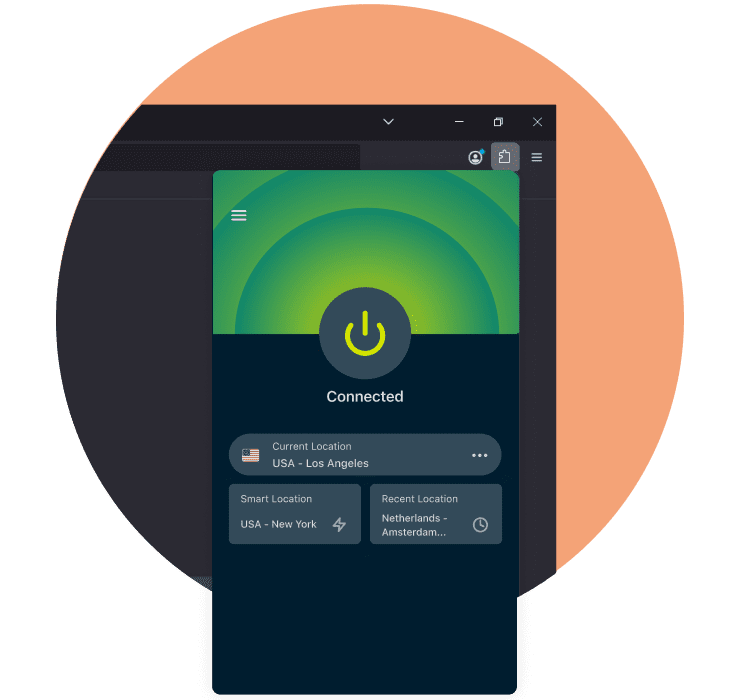
Intuitivní rozšíření pro Firefox
Někdo prostě jen chcete používat VPN na Firefox, aniž byste zapínali další aplikaci vedle. Díky ExpressVPN rozšíření pro Firefox se připojíte na jedno kliknutí přímo v panelu nástrojů.
Rozšíření můžete používat samostatně jako proxy nebo v kombinaci s plnou aplikací ExpressVPN pro kompletní ochranu zařízení a používání pokročilých funkcí přímo v prohlížeči.

Zákaznická podpora 24/7
Hledáte pomocnou ruku pro nastavení VPN na Firefox?
Napište našemu týmu podpory na živý chat a dostanete přesný postup, jak si ExpressVPN ve Firefox nebo na svém zařízení zprovoznit. Podpora je dostupná 24/7.
Co lidé říkají na ExpressVPN
-
Naprosto fantastické. Bylo to perfektní řešení problémů s připojením ve hře, kterou jsem v poslední době hrál.
J B


-
ExpressVPN je dokonalá všestranná VPN služba pro vaše potřeby v oblasti zabezpečení sítě.
Dirt_Reynolds


-
ExpressVPN je nejrychlejší VPN, jakou jsem našel. Ukáže vám nejrychlejší server, ke kterému se můžete připojit, a seznam alternativních serverů.
Christopher Gilmer
-
#1 nejlepší VPN v roce 2026 a nejlepší VPN pro hraní her
ExpressVPN je právě teď nejlepší VPN pro hraní her díky své působivé rychlosti, vynikající ochraně soukromí a rozsáhlé globální síti serverů.

-
Cena redakce 2026
Rozsáhlá síť ExpressVPN a odhodlání zůstávat na špici šifrovacích technologií jí vynesly ocenění.

-
VPN č. 1 pro USA v roce 2026
ExpressVPN je právě teď nejlepší VPN pro USA. Má VPN servery v každém americkém státě, vynikající zabezpečení a jednoduché uživatelské rozhraní.

-
 Hodnocení 4,4 z 5
 -
 Hodnocení 4,7 z 5




Časté dotazy
Odpovědi na běžné dotazy spojené s VPN pro Firefox
Má Firefox integrovanou VPN?
Ano, Firefox vydal integrovanou VPN v březnu 2026. V první vlně maskovala IP adresu pro uživatele z USA, Spojeného království, Německa a Francie, ale servery přiřazuje automaticky, takže si sami nemůžete polohu vybrat.
Jak zapnout VPN na Mozilla Firefox?
Pro používání VPN na Mozilla Firefox přejděte na obchod s doplňky a nainstalujte si rozšíření ExpressVPN. Po instalaci klikněte v panelu nástrojů na ikonu ExpressVPN, přihlaste se a připojte k vybranému serveru.
Jaká VPN je nejlepší pro Firefox?
ExpressVPN je nejlepší VPN pro Firefox. Naše rozšíření může fungovat samostatně jako proxy nebo jako vzdálené ovládání stolní aplikace, čímž máte pod palcem kompletní ochranu celého zařízení přímo v prohlížeči.
Existují bezplatné VPN pro Firefox?
Ano, ale obvykle jsou bezplatné VPN výrazně limitované: menší výběr serverů, strop dat a slabší zabezpečení. ExpressVPN má servery v 113 zemích, neomezuje data, nabízí 256bitové AES šifrování a celkově představuje lepší a ucelenější alternativu.
Potřebuji VPN aplikaci, když už mám rozšíření?
Používání VPN aplikace s rozšířením pro Firefox není povinné, ale je to velice praktické řešení. S ExpressVPN můžete například ovládat stolní aplikaci přímo přes rozšíření, takže kvůli změně nastavení nemusíte vůbec opustit okno prohlížeče.
Je VPN rozšíření pro Firefox bezpečné?
Ano, ale vše závisí na poskytovateli rozšíření. ExpressVPN prokazuje svou spolehlivost a důvěryhodnost formou pravidelných nezávislých auditů firem jako KPMG a PwC. Účelem kontrol je ověřit, že naše systémy plní svou funkci a jsou v souladu se zásadami neuchovávání záznamů.
Vyzkoušejte si oblíbenou VPN pro Firefox bez rizika
Využijte naši 30denní zkušební verzi VPN* pro nové zákazníky
*Na nákupy předplatného přes Apple App Store (iTunes) nebo Google Play se 30denní záruka vrácení peněz ExpressVPN nevztahuje. Můžete však požádat o vrácení peněz samostatné obchody s aplikacemi, které žádost vyřeší dle vlastního uvážení.