Why ExpressVPN doesn't use Blowfish encryption


ExpressVPN doesn't use Blowfish encryption because it was designed for the hardware and threats of the 1990s, and its limits make it a poor fit for a modern VPN. Instead, ExpressVPN uses 256-bit Advanced Encryption Standard (AES) and ChaCha20, two ciphers that run well on today’s devices.
Blowfish was once a common choice for VPNs, and it still appears in older software and legacy systems, so it's reasonable to wonder whether a VPN still relies on it.
What is Blowfish encryption?
Blowfish is a symmetric block cipher, meaning it uses the same key to encrypt and decrypt data and processes data in fixed-size chunks called blocks. It supports keys from 32 to 448 bits long. A longer key has more possible combinations, which makes it harder for an attacker to guess the key by trying every option (a brute-force attack).
Cryptographer Bruce Schneier released Blowfish in 1993 as an alternative to the aging Data Encryption Standard (DES). Most other alternatives at the time were patented or required a license, so Schneier made Blowfish free and unpatented, which helped it spread quickly. For example, the OpenVPN protocol originally used Blowfish as its default cipher and later switched to AES.
What encryption ExpressVPN uses and why
ExpressVPN offers several VPN protocols. A VPN protocol is the method a device uses to connect to a VPN server and send data through that connection. Each protocol relies on a cipher, the algorithm that encrypts data before it leaves the device and decrypts it at the other end. Different protocols use different ciphers, and some, like Lightway, can switch between two.
Encryption in each ExpressVPN protocol
The table below shows the cipher each ExpressVPN protocol uses. Lightway can run over User Datagram Protocol (UDP) or Transmission Control Protocol (TCP), two standard ways of sending data across the internet. UDP is the better option for most networks because it's usually faster. TCP can be slower, but it connects more reliably on some networks.
| Protocol | Cipher |
|---|---|
| Lightway (UDP/TCP) | AES-256-GCM and ChaCha20-Poly1305 |
| WireGuard | ChaCha20-Poly1305 |
| OpenVPN (UDP/TCP) | AES-256-GCM |
| IKEv2 (iOS only) | AES-256-GCM |
In these names, 256 is the length of the encryption key in bits. It doesn't refer to the block size, since AES always encrypts data in 128-bit blocks.
Galois/Counter Mode (GCM) is the method AES uses to process data. It lets a device encrypt several pieces of data at the same time, which helps keep the connection fast. It also adds a code to the encrypted data so the receiving end can check whether anything was changed in transit.
Poly1305 does the same checking for ChaCha20, adding a code that shows whether the data was altered.
It’s worth adding that Lightway’s encryption is built on wolfSSL, a cryptography library, meaning a ready-made set of code for encrypting and decrypting data. wolfSSL’s core cryptography module, wolfCrypt, has been vetted by third parties, including against the Federal Information Processing Standard (FIPS) 140-2, a U.S. government security standard for encryption software.
Why ExpressVPN uses AES and ChaCha20 instead of Blowfish
ExpressVPN uses AES-256 and ChaCha20 instead of Blowfish because both ciphers can safely encrypt large amounts of data, run well on current hardware, and detect tampering.
Larger blocks
After tens of gigabytes are encrypted with the same key, repeated blocks become a concern. Under certain conditions, attackers can use these repeats to recover parts of the data.
AES uses 128-bit blocks, which makes this far less likely. ChaCha20 is a stream cipher, meaning it encrypts data as a continuous stream instead of in blocks, so this limit doesn't apply to it.
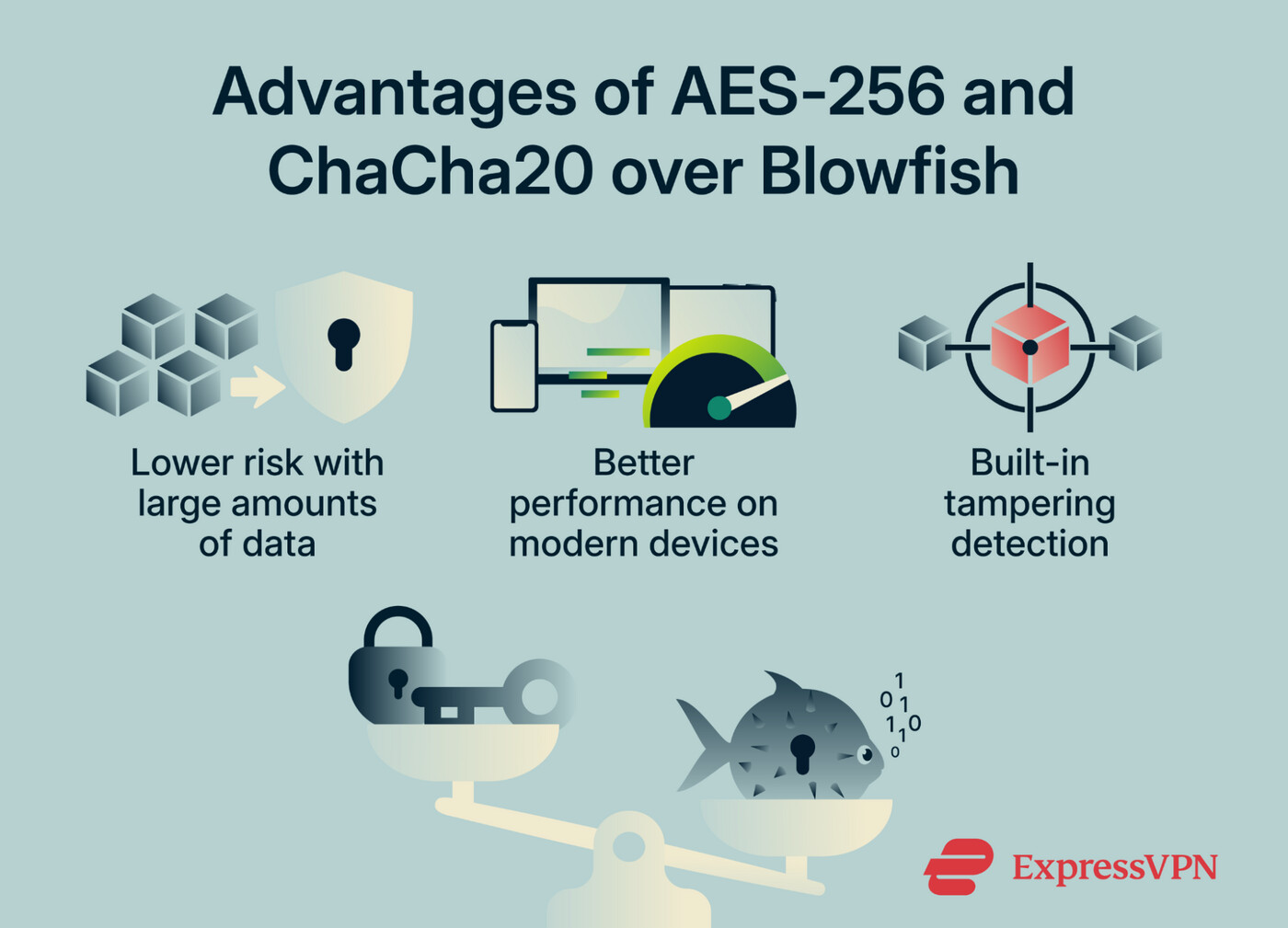
Better performance on modern devices
Most modern processors include hardware support that speeds up AES, and Blowfish has no such support. ChaCha20 is designed to run well without hardware support, which makes it a better fit for older or lower-powered devices. ExpressVPN's Lightway protocol automatically picks the cipher that’s better for your device.
Built-in integrity protection
Blowfish and AES-256-Cipher Block Chaining (CBC) can’t detect on their own whether encrypted data was changed in transit, so they need a separate check, such as a Hash-based Message Authentication Code (HMAC). AES-256-GCM and ChaCha20-Poly1305 include this check as part of the encryption. ExpressVPN’s OpenVPN servers switched from AES-256-CBC to AES-256-GCM around mid-2023.
Blowfish vs. AES-256 vs. ChaCha20
Here's how Blowfish compares with the two ciphers ExpressVPN uses, AES-256 and ChaCha20.
| Blowfish | AES-256 | ChaCha20 | |
|---|---|---|---|
| Introduced | 1993 | 2001 | 2008 |
| Key length | 32–448 bits | 256 bits | 256 bits |
| Block size | 64 bits | 128 bits | Not applicable (stream cipher) |
| Hardware acceleration | ❌ | ✅ (on most modern processors) | Not needed; runs well without it |
| Built-in integrity check | ❌ | ✅ (with GCM) | ✅ (with Poly1305) |
| Used by ExpressVPN | ❌ | ✅ (in Lightway and OpenVPN) | ✅ (in Lightway and WireGuard) |
How to choose a protocol in the ExpressVPN app
ExpressVPN's apps use the Automatic protocol setting by default. It picks the most suitable protocol for the network, usually Lightway, and is the recommended option for most users. The protocol can also be changed manually, for example, if the app has trouble connecting.
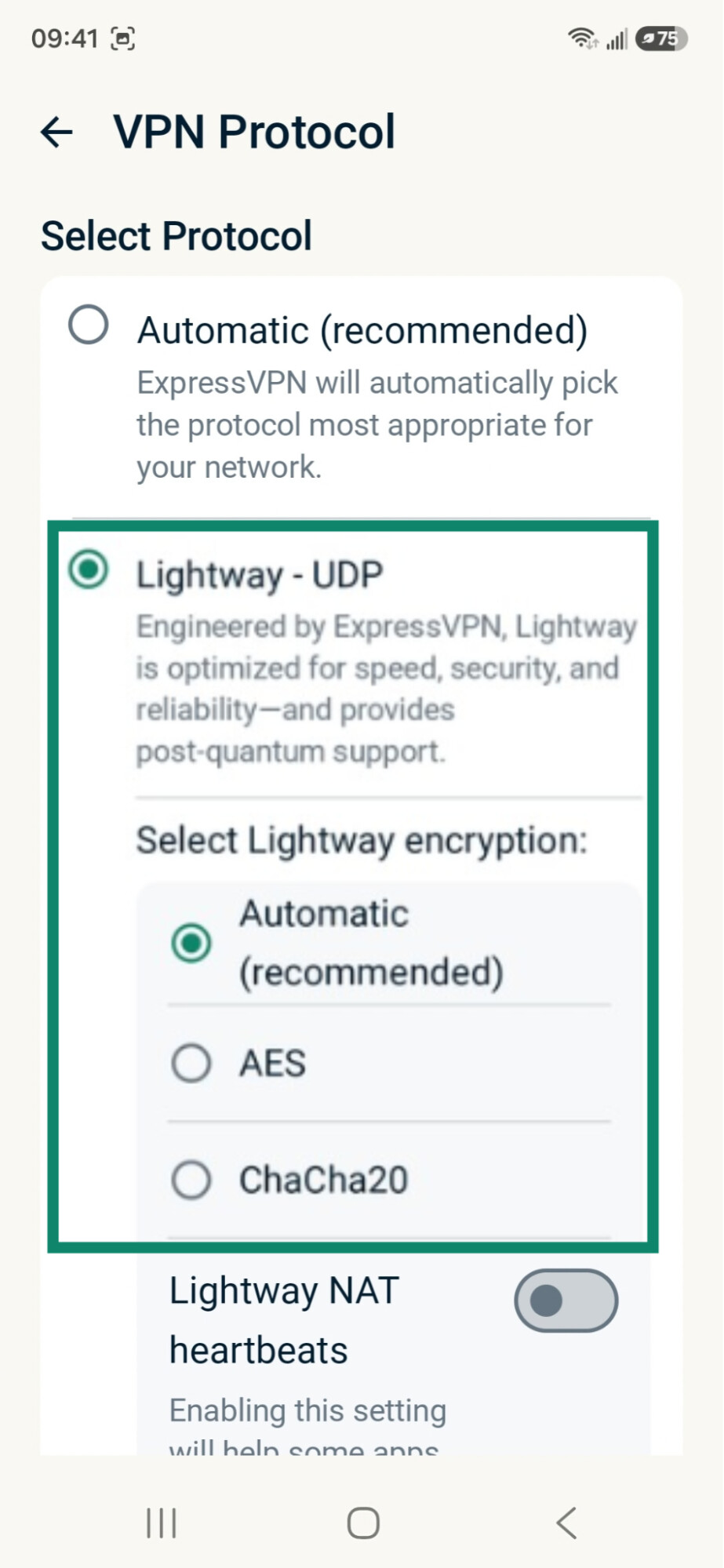
On iOS and Android, the Lightway – UDP and Lightway – TCP settings include advanced options for choosing the cipher. The app normally picks the cipher that suits the device best, but switching can help in some cases. On an older device with slow speeds, for example, ChaCha20 may be faster than AES.
The same menu includes Lightway Network Address Translation (NAT) heartbeats. When turned on, this setting sends small packets of data through the VPN tunnel every few seconds to keep it active while the device is idle. This can help some apps and email clients deliver push notifications faster, but it increases battery use.
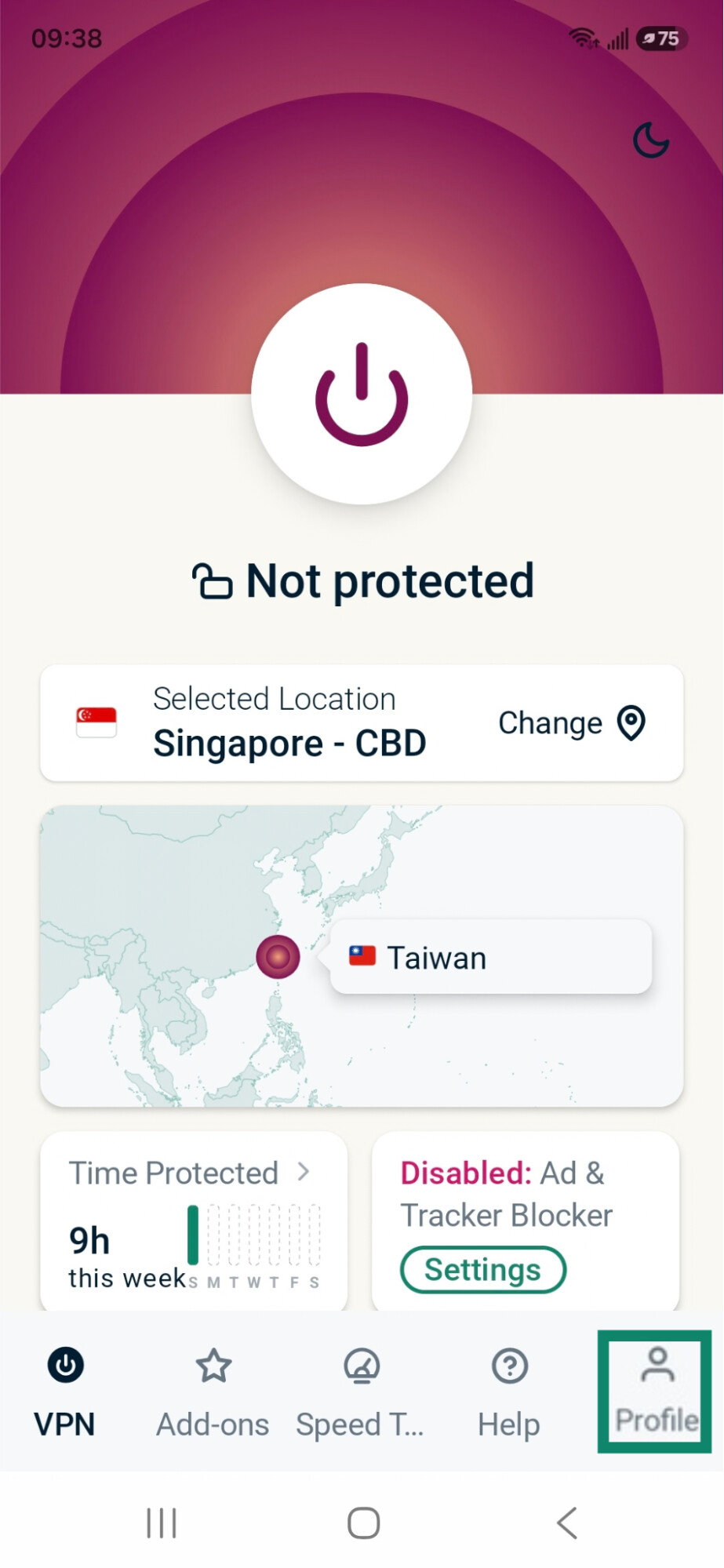
Here’s how to change the protocol and cipher, using the Android app as an example:
- In the ExpressVPN app, tap Profile.
- Tap VPN protocol.
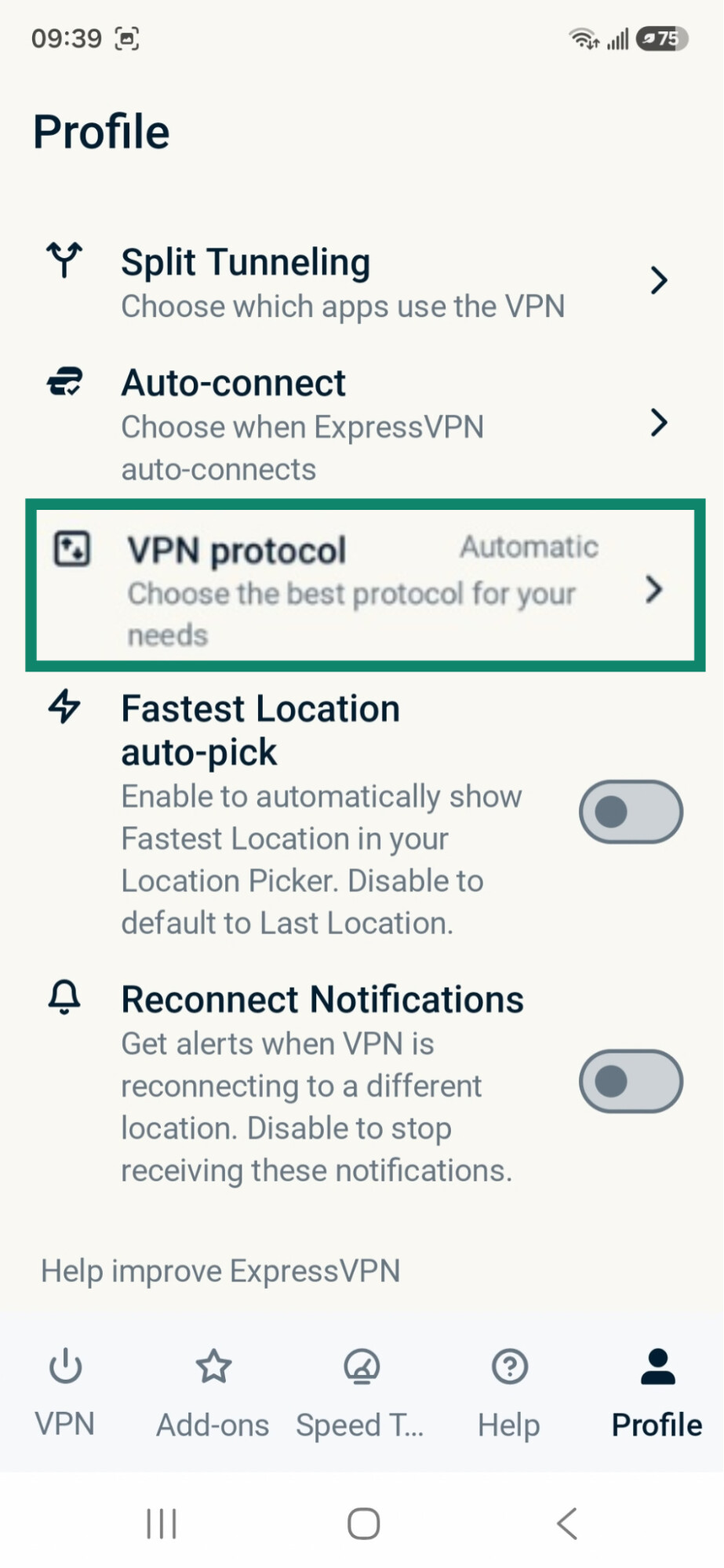
- Select your desired protocol. If you choose Lightway – UDP or Lightway – TCP, you can also pick the AES or ChaCha20 cipher and turn Lightway NAT heartbeats on or off.
Protect your data with strong, modern encryption
ExpressVPN uses secure VPN protocols and ciphers to encrypt your internet traffic, helping prevent others from reading your data.
Try ExpressVPN with a 30-day money-back guarantee for new users.