
Η καλύτερη επέκταση VPN για τον Microsoft Edge: Ιδιωτική, ασφαλής και εύχρηστη
Ενισχύστε την προστασία του απορρήτου σας με την επέκταση του ExpressVPN για Microsoft Edge σε Windows, Mac και Linux
- Περιηγηθείτε ανώνυμα με διαθέσιμους διακομιστές σε 113 χώρες
- Διατηρήστε την ασφάλειά σας σε δημόσια δίκτυα Wi-Fi και κοινόχρηστα δίκτυα που δεν εμπιστεύεστε
- Λειτουργεί στον Edge είτε χρησιμοποιείτε την εφαρμογή ExpressVPN είτε όχι
Ξεκινήστε το δωρεάν δοκιμαστικό χωρίς ρίσκο Κατεβάστε την επέκταση
Εγγύηση επιστροφής χρημάτων 30 ημερών για νέους χρήστες

Γιατί οι χρήστες του Microsoft Edge χρησιμοποιούν επεκτάσεις VPN
Μεταβείτε από το VPN του Edge στο ExpressVPN για πλήρη προστασία
-
![Καλύψτε τα κενά που δεν μπορεί να καλύψει το ενσωματωμένο VPN του Microsoft Edge Το ενσωμ...]()
Καλύψτε τα κενά που δεν μπορεί να καλύψει το ενσωματωμένο VPN του Microsoft Edge
Το ενσωματωμένο VPN της Microsoft εφαρμόζει την κρυπτογράφηση και την απόκρυψη IP μόνο στην κίνηση του περιηγητή, έχει όρια δεδομένων και δεν προσφέρει χειροκίνητη επιλογή διακομιστή. Η επέκταση του ExpressVPN μπορεί να προστατεύσει όλη την κίνηση της συσκευής όταν χρησιμοποιείται σε συνδυασμό με την εφαρμογή VPN. Προσφέρει διακομιστές σε 113 χώρες και υποστηρίζεται από επαληθευμένη πολιτική μη τήρησης αρχείων καταγραφής.
-
![Προστατέψτε τη δραστηριότητα του περιηγητή σας από ιχνηλάτες, διαφημίσεις και δ...]()
Προστατέψτε τη δραστηριότητα του περιηγητή σας από ιχνηλάτες, διαφημίσεις και διαρροές δεδομένων
Η επέκταση Edge μπορεί να λειτουργήσει σε συνδυασμό με την εφαρμογή VPN, προστατεύοντας την περιήγηση (και όλη την κίνηση της συσκευής) με λειτουργίες που διατίθενται αποκλειστικά στην εφαρμογή, όπως ο αποκλεισμός ιχνηλατών και διαφημίσεων. Το Threat Manager αποκλείει ιχνηλάτες και διαφημίσεις πριν προλάβουν να δημιουργήσουν προφίλ για εσάς, κρυπτογραφεί την δραστηριότητά σας και η διεύθυνση IP παραμένει κρυφή, αποτρέποντας διαρροές δεδομένων.
-
![Προστασία σε δημόσια δίκτυα Wi-Fi και κοινόχρηστες συσκευές με 1 κλικ Τα δημόσια δί...]()
Προστασία σε δημόσια δίκτυα Wi-Fi και κοινόχρηστες συσκευές με 1 κλικ
Τα δημόσια δίκτυα Wi-Fi και οι κοινόχρηστες συσκευές μπορεί να εκθέσουν τα διαπιστευτήρια και τη δραστηριότητά σας. Με ένα μόνο κλικ στον Edge, το ExpressVPN κρυπτογραφεί την κίνηση μέσω της εφαρμογής του, ενώ η λειτουργία kill switch αποτρέπει διαρροές σε περίπτωση διακοπής της σύνδεσης, εμποδίζοντας την έκθεση της IP και των δεδομένων σας.



Πώς να εγκαταστήσετε ένα VPN στον Microsoft Edge
Η εγκατάσταση της επέκτασης VPN στον Edge είναι γρήγορη και απλή
-
![How to sign up for ExpressVPN]()
Βήμα 1
Κατεβάστε και εγκαταστήστε την επέκταση περιηγητή του ExpressVPNΚάντε την εγγραφή σας
στο ExpressVPN και στη συνέχεια, κατεβάστε στον περιηγητή σας την επέκταση του Edge.
-
![Connect To Server Firefox]()
Βήμα 2
Συνδεθείτε και επιλέξτε έναν διακομιστή VPN
Συνδεθείτε και επιλέξτε σε μία από τις 214 τοποθεσίες διακομιστών για να προστατεύσετε τον Edge.
-
![Connect To Server@2x 7]()
Βήμα 3
Περιηγηθείτε με ασφάλεια στον Edge
Περιηγηθείτε, πραγματοποιήστε τραπεζικές συναλλαγές και κάντε διαδικτυακές αγορές με ασφάλεια, χρησιμοποιώντας ένα αξιόπιστο VPN για τον Edge.

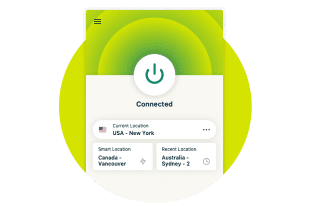

Συμβουλές για την αποτελεσματική χρήση του ExpressVPN στον Edge
Βελτιστοποιήστε τις ρυθμίσεις του VPN στον Microsoft Edge με αυτές τις 4 απλές συμβουλές
-
![Image 9]()
Ενεργοποίηση αυτόματης σύνδεσης κατά την εκκίνηση του περιηγητή
Προστατευτείτε με το που ανοίγετε τον Edge. Δεν απαιτείται χειροκίνητη σύνδεση. Έτσι, δεν περιηγείστε ποτέ χωρίς προστασία, ακόμα κι αν ξεχάσετε να ενεργοποιήσετε το ExpressVPN. Βρείτε αυτή την επιλογή στο μενού ρυθμίσεων της επέκτασης.
-
![Image 10]()
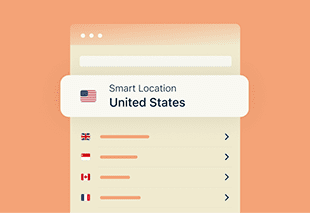
Χρησιμοποιήστε τη λειτουργία «Smart Location» για τη βέλτιστη ταχύτητα
Συνδεθείτε με ένα κλικ με τις καλύτερες δυνατές ταχύτητες. Το ExpressVPN επιλέγει αυτόματα τον βέλτιστο διακομιστή χρησιμοποιώντας τη λειτουργία Smart Location. Αναλύει τις συνθήκες του δικτύου σε πραγματικό χρόνο, ώστε να προσφέρει τη βέλτιστη απόδοση στην περιοχή σας.

-
![Image 11]()
Πρόσβαση σε περιεχόμενο streaming ενώ ταξιδεύετε
Συνδεθείτε σε έναν διακομιστή στη χώρα σας για να χρησιμοποιήσετε τις υπάρχουσες streaming συνδρομές σας. Είτε βρίσκεστε σε επαγγελματικό ταξίδι, είτε σε διακοπές, συνεχίστε να παρακολουθείτε τις αγαπημένες σας σειρές, συνδεόμενοι σε τοποθεσίες όπου είναι καταχωρημένοι οι λογαριασμοί σας.
-
![Image 12]()
Ενεργοποίηση αποκλεισμού WebRTC
Αποτρέψτε τους ιστότοπους από τον εντοπισμό της πραγματικής σας διεύθυνσης IP μέσω διαρροών WebRTC. Το WebRTC μπορεί να αποκαλύψει την πραγματική σας τοποθεσία, ακόμα και όταν χρησιμοποιείτε VPN. Ενεργοποιήστε αυτή την επιλογή στις ρυθμίσεις της επέκτασης για να καλύψετε αυτό το κενό.


Γιατί το ExpressVPN αποτελεί την καλύτερη επιλογή για τον Microsoft Edge
Γρήγορη και ασφαλής περιήγηση με το καλύτερο VPN για Microsoft Edge

Αποφύγετε την παρακολούθηση και τον περιορισμό ταχύτητας από τον πάροχο υπηρεσιών διαδικτύου
Όταν χρησιμοποιείτε την επέκταση του ExpressVPN στον Microsoft Edge, η κίνησή σας κρυπτογραφείται, εμποδίζοντας τον πάροχο διαδικτύου να δει τη διαδικτυακή σας κίνηση ή να εφαρμόσει περιορισμό ταχύτητας βάσει περιεχομένου στις συνδέσεις σας.
Με διακομιστές απόκρυψης χρήσης VPN που εμφανίζουν την κίνηση ως τυπική διαδικτυακή κίνηση, το ExpressVPN σας βοηθά να αποφύγετε τον εντοπισμό και να διατηρήσετε γρήγορη και αξιόπιστη σύνδεση, είτε παίζετε παιχνίδια, είτε κάνετε streaming, είτε περιηγείστε στο διαδίκτυο.

Αποκτήστε αξιόπιστη πρόσβαση στους streaming λογαριασμούς σας
Το ενσωματωμένο VPN του Microsoft Edge δεν προσφέρει δυνατότητα ελέγχου τοποθεσίας, κάτι που μπορεί να περιορίσει την πρόσβαση στους λογαριασμούς σας όταν ταξιδεύετε.
Η επέκταση Edge του ExpressVPN διαθέτει διακομιστές 10Gbps and 40Gbps σε 113 χώρες, προσφέροντας την ταχύτητα και την αξιοπιστία που χρειάζεστε για πρόσβαση στους λογαριασμούς σας, είτε βρίσκεστε σπίτι, είτε στο εξωτερικό, είτε εργάζεστε απομακρυσμένα.
Διατηρήστε το απόρρητό σας με προηγμένες λειτουργίες
Μην αρκείστε απλά στην αλλαγή της διεύθυνσης IP. Η επέκταση του ExpressVPN για περιηγητές υποχρεώνει τους ιστότοπους να χρησιμοποιούν το πρωτόκολλο HTTPS όποτε αυτό είναι διαθέσιμο, μεταβαίνοντας αυτόματα σε μια πιο ασφαλή, κρυπτογραφημένη σύνδεση.
Το μπλοκάρισμα WebRTC αποτρέπει τη διαρροή της διεύθυνσης IP και η λειτουργία HTML5 spoofing παραποιεί τα δεδομένα τοποθεσίας του περιηγητή σας. Η έξυπνη δρομολόγηση σάς επιτρέπει να ορίζετε κανόνες για τον τρόπο σύνδεσης συγκεκριμένων ιστότοπων εντός του Edge. Αυτές οι λειτουργίες συμβάλλουν στην προστασία της ταυτότητας και της δραστηριότητάς σας από τις συνήθεις μεθόδους παρακολούθησης.
Σχεδιασμένο για εύκολη χρήση
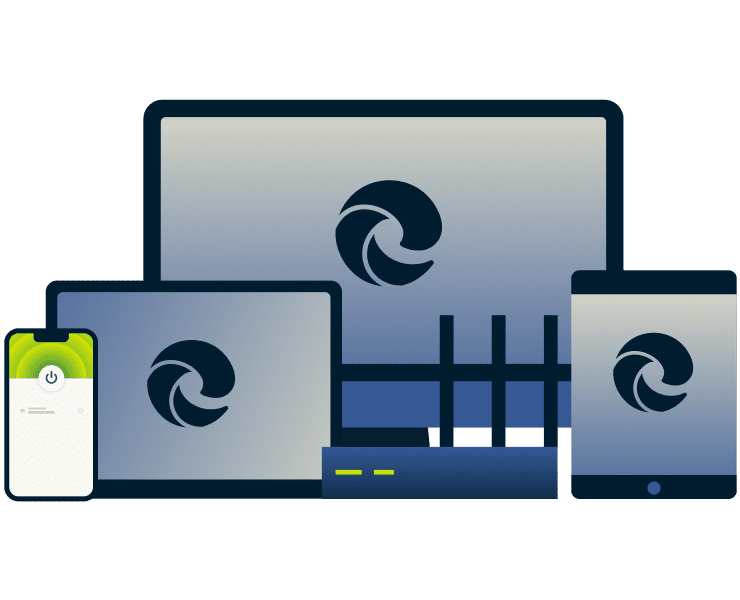
Η επέκταση VPN του ExpressVPN για τον Edge έχει σχεδιαστεί με γνώμονα την εύκολη χρήση και είναι διαθέσιμη σε 17 γλώσσες. Όταν συνδυάζεται με την εφαρμογή VPN, η επέκταση λειτουργεί ως τηλεχειριστήριο για την εφαρμογή του VPN, προστατεύοντας έτσι όλη την κίνηση της συσκευής.
Ενεργοποιήστε την προστασία απευθείας από το παράθυρο του Edge και συνδεθείτε ή αλλάξτε διακομιστή με λίγα μόνο κλικ. Η 24/7 υπηρεσία υποστήριξης μέσω ζωντανής συνομιλίας προσφέρει άμεση βοήθεια με εξειδικευμένο προσωπικό όποτε τη χρειάζεστε.

Συμβατό με όλες τις συσκευές και πλατφόρμες
Το ExpressVPN δεν προστατεύει μόνο τον περιηγητή Edge. Προστατέψτε όλη την ψηφιακή σας ζωή σε laptop, κινητά, tablet και άλλες συσκευές, χάρη στη συμβατότητα με Windows, Mac, Linux, iOS, Android και άλλες πλατφόρμες.
Με όριο τις 14 ταυτόχρονες συνδέσεις για κάθε συνδρομή, μπορείτε να περιηγηθείτε στο διαδίκτυο, να κάνετε streaming και να εργάζεστε με ασφάλεια, χωρίς να χρειάζεται να διαχειρίζεστε πολλαπλούς λογαριασμούς.
Premium λειτουργίες ενσωματωμένες στην επέκταση Edge
Ταχύτητα, ασφάλεια και προστασία απορρήτου με το...
-
![Γρήγορο και ασφαλές πρωτόκολλο Lightway εντός του περιηγητή Το ειδικά σχεδιασμένο π...]()
Γρήγορο και ασφαλές πρωτόκολλο Lightway εντός του περιηγητή
Το ειδικά σχεδιασμένο πρωτόκολλο Lightway προσφέρει σταθερές συνδέσεις, χαμηλή καθυστέρηση (latency) και ισχυρή κρυπτογράφηση όταν συνδέεστε στον Edge. Θα έχετε γρήγορη περιήγηση, streaming υψηλής ποιότητας και ασφαλείς συνεδρίες χωρίς να θυσιάζετε την ταχύτητά σας.
-
![Λειτουργία Smart Routing για συνδέσεις σε συγκεκριμένες τοποθεσίες Η λειτουργία «Smart R...]()
Λειτουργία Smart Routing για συνδέσεις σε συγκεκριμένες τοποθεσίες
Η λειτουργία «Smart Routing» σάς επιτρέπει να ορίζετε τον τρόπο σύνδεσης κάθε ιστοσελίδας κατά τη χρήση της επέκτασης Edge ως διακομιστή μεσολάβησης. Μπορείτε να δρομολογείτε την κίνηση σε ορισμένους ιστότοπους μέσω της επιλεγμένης τοποθεσίας διακομιστή VPN, ενώ σε άλλους θα συνδέεστε χωρίς τη χρήση του διακομιστή μεσολάβησης.
-
![No Logs Policy Blue@2x]()
Αρχιτεκτονική TrustedServer αποκλειστικά σε μνήμη RAM, χωρίς αρχεία καταγραφής, χωρίς συμβιβασμούς
Όλο το δίκτυο διακομιστών του ExpressVPN λειτουργεί αποκλειστικά σε RAM με την τεχνολογία TrustedServer, πράγμα που σημαίνει πως δεν αποθηκεύεται τίποτα σε σκληρούς δίσκους. Σε συνδυασណ៍ με την πολιτική μη τήρησης αρχείων καταγραφής, η οποία έχει ελεγχθεί από ανεξάρτητους φορείς, προστατεύει το διαδικτυακό απόρρητό σας, ακόμη και από εμάς.



Γιατί οι χρήστες του Edge προτιμούν το ExpressVPN αντί των δωρεάν εναλλακτικών
Το κορυφαίο επίπεδο προστασίας του ExpressVPN ξεπερνά πάντα τα οφέλη των δωρεάν υπηρεσιών
| Επέκταση Edge του ExpressVPN | Η πλειονότητα των δωρεάν επεκτάσεων VPN για Edge | |
|---|---|---|
| Εγκατάσταση και λειτουργία | Τακτικές ενημερώσεις για σταθερές, ασφαλείς και ιδιωτικές συνδέσεις | Εύκολη εγκατάσταση, αλλά με χαμηλή απόδοση και συχνές διακοπές σύνδεσης |
| Ταχύτητα και δεδομένα | Γρήγορες και σταθερές ταχύτητες με διακομιστές 10Gbps και 40Gbps με το πρωτόκολλο Lightway και χωρίς όρια δεδομένων | Χαμηλές ταχύτητες λόγω υπερφορτωμένων διακομιστών και όρια δεδομένων που περιορίζουν το επίπεδο προστασίας |
| Δίκτυο διακομιστών | Πάνω από 214 ασφαλείς τοποθεσίες διακομιστών σε όло τον κόσμο | Περιορισμένη ή μηδαμινή δυνατότητα επιλογής διακομιστή |
| Συμβατό με πλατφόρμες streaming | Αξιόπιστο streaming σε όλες τις δημοφιλείς πλατφόρμες | Δεν λειτουργούν με τις δημοφιλείς πλατφόρμες streaming |
| Προστασία απορρήτου | Προστατεύει τα δεδομένα σας με την τεχνολογία TrustedServer και αυστηρή πολιτική μη τήρησης αρχείων καταγραφής. | Επικίνδυνοι ισχυρισμοί σχετικά με την προστασία απορρήτου, καθώς πολλά δωρεάν VPN πωλούν δεδομένα χρηστών σε τρίτους |
| Ταυτόχρονη προστασία πολλαπλών συσκευών | Έως και 14 συσκευές, με εφαρμογές για Windows, Mac, Linux, iOS, Android και άλλα | Μία σύνδεση |
| Επιπλέον λειτουργίες | Παραποίηση τοποθεσίας, αποκλεισμός WebRTC για αποφυγή διαρροών, σκοτεινή λειτουργία, Smart Routing | Καμία |
Σχόλια χρηστών: Δείτε τι αναφέρουν οι χρήστες μας
Δείτε τι αναφέρουν οι ικανοποιημένοι χρήστες του ExpressVPN
Χρησιμοποιώ το ExpressVPN σε όλες τις συσκευές μου, τηλέφωνο, λάπτοπ, tablet, AppleTV κτλ., και το λατρεύω.


* Ένα δείγμα από τις αξιολογήσεις των πιο ικανοποιημένων πελατών μας
Έφτιαξα εχθές έναν λογαριασμό στο @expressvpn. Αποδείχθηκε εξαιρετική επιλογή για ταξίδια στο εξωτερικό!
@D_Geiger

* Ένα δείγμα από τις αξιολογήσεις των πιο ικανοποιημένων πελατών μας
Με την αξιόπιστη απόδοση και την ασφάλεια που παρέχει, το ExpressVPN είναι το καλύτερο VPN.

* Πληρώνουμε κάποιες φορές εξειδικευμένους ιστότοπους για ανεξάρτητες αξιολογήσεις
Συχνές ερωτήσεις
Όλα όσα πρέπει να γνωρίζετε για το ExpressVPN στον Edge
Είναι ασφαλής η επέκταση του ExpressVPN για Microsoft Edge;
Ναι. Η επέκταση του ExpressVPN για τον περιηγητή Microsoft Edge μπορεί να χρησιμοποιηθεί είτε αυτόνομα είτε σε συνδυασμό με την πλήρη εφαρμογή του ExpressVPN. Με γρήγορες ταχύτητες σύνδεσης, ισχυρή κρυπτογράφηση και εύκολη αλλαγή διακομιστών, το ExpressVPN προσφέρει εξαιρετική εμπειρία χρήσης, σε συνδυασμό με ισχυρή ασφάλεια. Όταν χρησιμοποιείται σε συνδυασμό με την εφαρμογή VPN του ExpressVPN, προσφέρει επιπλέον λειτουργίες ασφαλείας, όπως λειτουργία kill switch και δυνατότητα επιλογής πρωτοκόλλου.
Το VPN αποκρύπτει το ιστορικό της περιήγησής μου;
Ο περιηγητής σας αποθηκεύει το ιστορικό τοπικά, γεγονός που δεν μπορεί να επηρεαστεί από το VPN, αλλά μπορείτε να το διαγράψετε χειροκίνητα. Το ExpressVPN κρυπτογραφεί την διαδικτυακή σας κίνηση, εμποδίζοντας τους παρόχους υπηρεσιών διαδικτύου και τους διαχειριστές δικτύων Wi-Fi να δουν τις ιστοσελίδες που επισκέπτεστε. Σημείωση: οι αναζητήσεις που πραγματοποιούνται ενώ είστε συνδεδεμένοι σε λογαριασμούς (π.χ. Google) ενδέχεται να καταγράφονται από ξεχωριστές υπηρεσίες.
Πώς μπορώ να χρησιμοποιήσω ένα VPN σε Microsoft Edge;
Κάντε την εγγραφή σας στο ExpressVPN, κατεβάστε και εγκαταστήστε την επέκταση, συνδεθείτε και επιλέξτε μια τοποθεσία διακομιστή. Η επέκταση υποστηρίζει και την εφαρμογή, ώστε να μπορείτε να προστατεύετε πλήρως τη συσκευή, ενώ διαχειρίζεστε τη σύνδεση απευθείας από τον περιηγητή σας.
Είναι επαρκές το ενσωματωμένο VPN του Microsoft Edge;
Το ενσωματωμένο VPN του Microsoft Edge, το Edge Secure Network, προσφέρει ένα βασικό επίπεδο προστασίας στους χρήστες του Edge, αλλά κρυπτογραφεί μόνο την κίνηση που προέρχεται από τον Edge και περιορίζει τη δυνατότητα χρήσης σε μόλις 5 GB δωρεάν δεδομένων κάθε μήνα.
Μπορώ να εγκαταστήσω το ExpressVPN χωρίς την εφαρμογή του;
Ναι. Μπορείτε να χρησιμοποιήσετε την επέκταση του ExpressVPN για τον περιηγητή σας αυτόνομα, KHWRIS να εγκαταστήσετε την εφαρμογή. Χωρίς την εφαρμογή, η επέκταση λειτουργεί ως διακομιστής μεσολάβησης VPN και προστατεύει μόνο την κίνηση του περιηγητή. Για πλήρη προστασία της συσκευής, μπορείτε να συνδέσετε την επέκταση με την εφαρμογή του ExpressVPN, αλλά αυτό είναι προαιρετικό.
Προσθέστε τώρα το ExpressVPN στον Microsoft Edge
Προστατέψτε την περιήγησή σας με την καλύτερη επέκταση VPN για τον Edge

Εγκαταστήστε την από το κατάστημα πρόσθετων του Edge και κερδίστε ένα δωρεάν δοκιμαστικό 30 ημερών
Η εγκατάσταση της επέκτασης ExpressVPN από το κατάστημα πρόσθετων του Edge διαρκεί μόλις λίγα δευτερόλεπτα. Όλοι οι νέοι χρήστες έχουν τη δυνατότητα να δοκιμάσουν το προϊόν για 30 ημέρες χωρίς καμία δέσμευση, χωρίς να απαιτούνται περίπλοκες ρυθμίσεις.
Αναβαθμίστε τον Edge για τη βέλτιστη προστασία απορρήτου
Οι περισσότεροι συμβιβάζονται με την απλή περιήγηση. Οι πελάτες του ExpressVPN απολαμβάνουν περισσότερα, με απεριόριστο εύρος ζώνης, παγκόσμιο δίκτυο διακομιστών σε περισσότερες από 214 τοποθεσίες και αντίστοιχες ταχύτητες με συνδέσεις χωρίς VPN.
Εγκαταστήστε το τώρα και δείτε τη διαφορά.















Οδηγός βίντεο: Δοκιμάστε τη σκοτεινή λειτουργία
Επιλέξτε ένα χρωματικό θέμα που να είναι ευχάριστο στα μάτια σας