Amazon Luna VPN:
Secure your connection
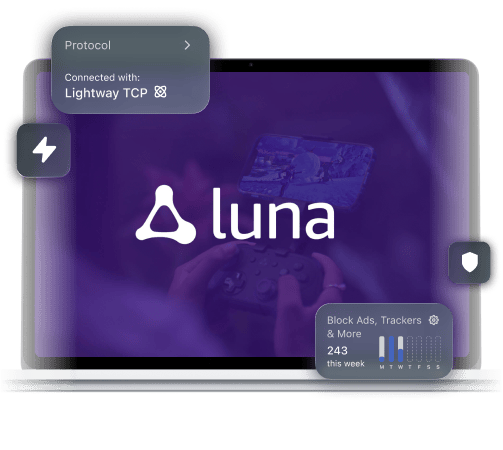
Avoid activity-based ISP throttling and keep your Luna sessions private and running on any network
Get ExpressVPN for Amazon Luna
*ExpressVPN helps support expert review sites through an affiliate program that compensates them for referrals.

-

IPHONE/IPAD -

Android -

Windows -

Mac -

Linux -

Router -

Smart TV -

Game console
How to use ExpressVPN with Amazon Luna
Set up easily, connect, and start playing more reliably
-
Step 1

Sign up and download
ExpressVPNGet ExpressVPN and install it on your Luna device.
-
Step 2
Sign in and connect
to the VPNSelect a server location nearby for optimal speed.
-
Step 3

Open Luna and
start playingPlay with enhanced privacy using ExpressVPN.
Privacy and security for the modern gamer
Protect your account on shared Wi-Fi and play across devices
-
Secure your Amazon account on shared Wi-Fi

Whenever you’re traveling or gaming on school Wi-Fi, you risk exposing your account information to others.
ExpressVPN encrypts your device’s traffic with 256-bit AES encryption, which helps protect against snooping and man-in-the-middle attacks. Others see VPN activity, not what you’re doing.
-
Keep your IP address private while gaming
Competitive players know that staying safe online means not giving others a way to mess with your session.
ExpressVPN masks your real IP address with a VPN address, preventing others from targeting your connection with DDoS attacks or finding your location to dox you.
-
Protect every device
you use
Modern gameplay isn’t locked to a single device, and your Amazon Luna VPN is useless if it protects just one screen.
ExpressVPN covers up to 14 devices with one subscription. We also offer easy-to-use native apps for Fire TV Stick, Windows, Mac, iOS, Android, and more. You keep the same speed, privacy, and security setup, whether you’re playing on the couch, at a desk, or on the go.
Why use a VPN for Amazon Luna?
Avoid activity-based throttling and keep Luna sessions private

When your provider sees you’re playing games, it can apply ISP content-based throttling, which can turn an Amazon Luna session into a stutter-fest.
Our gaming VPN helps by routing your Amazon Luna VPN traffic inside a secure, encrypted tunnel. Your ISP sees the VPN connection, but not the cloud-gaming traffic inside it, making it harder to single out your session and cap your speeds.

When your connection is struggling, Luna can be nearly unplayable: sudden dips in video quality, delayed inputs, and reconnects that take forever.
ExpressVPN’s Lightway protocol helps you stay in the session through brief interruptions that would otherwise break your flow. It keeps the VPN tunnel active during interruptions, reconnecting quickly when a connection drop is more serious.

With Luna, every action has to travel through the cloud, so a VPN with low-capacity servers can make the experience feel like you’re playing underwater.
ExpressVPN runs 10Gbps and 40Gbps servers, so the VPN can support long, bandwidth-heavy Luna sessions. Our network spans 113 countries, so you're rarely far from a fast option nearby. You can also turn on Smart Location to easily find the fastest available server near you.
-

Up to 40Gbps server capacity
-

Servers in 113 countries
-

Ultra-fast Lightway protocol
-

Optimized for gaming
Choosing a top-tier VPN for cloud gaming
Get the speed, stability, and no-logs privacy you deserve

Better bandwidth for Luna streams
Amazon Luna can be a bandwidth hog. Free, or low-quality VPNs will often cap your data, which defeats their purpose.
ExpressVPN comes with unlimited bandwidth: We won’t cap your data or choke long play sessions. Our server network is built to handle large numbers of high-speed connections.

The Lightway advantage
Some VPN protocols eat up system resources, slowing your connection with encryption overhead. Not what you want during an important match.
That’s where a proprietary protocol like Lightway really earns its stripes. We built it with a lean codebase, so it adds minimum overhead, connects fast, and eats up very little battery power or data.

Privacy with TrustedServer
If you’re paying for a VPN, you shouldn’t have to wonder if they’re logging and sharing your data.
ExpressVPN has a clear no-logs policy, independently verified by third parties like KPMG and PwC. Our servers are RAM-only, meaning nothing is ever stored to a hard drive. Our Trust Center offers more details about our data practices.
Why happy customers choose ExpressVPN
Gamers all over the world love ExpressVPN
-
Top-Notch Privacy and Streaming
It’s still an excellent choice for basically any use case and it’s still one of the best VPNs you can buy thanks to its innovative privacy and security features, fast speeds and excellent streaming capabilities.

-
A Premium Service Worth Every Penny
I don’t think that there are many VPN services out on the market today that rival ExpressVPN. Its combination of excellent speeds, ability to unblock every streaming service, and dedication to user privacy hits all of the right notes.

-
Blazing Fast on PCs
ExpressVPN is the easiest VPN to use on our list, making it a great option for anyone slightly less tech-savvy. It’s also one of the most secure VPN we’ve tested, with good features to keep you safe online.

-
The fastest VPN
ExpressVPN is the fastest VPN I’ve found. It shows you the fastest server you can connect to, and a list of alternative servers. Or, you can let it choose for you. It’s affordable and worth it.
Christopher Gilmer


-
Great for travel & access
Does exactly what it's supposed to. Using it while travelling is great, accessing international websites for purchases is great, doesn't lag internet speed too much. Peace of mind and super easy to use.
Sam H.


-
Extremely reliable
ExpressVPN provides extremely reliable service that will keep you and your personal information safe. ExpressVPN is the perfect all around VPN service for your network security needs.
Dirt_Reynolds
-
Protects all devices
Just want to say, I have used ExpressVPN for over 10 years. On my phone, computers, and even on my home router. You guys are the very best!
OneDarkSeed

-
Excellent value
One of the major names in virtual private network (VPN) services, ExpressVPN offers a lot to consumers at face value.
MacHash

-
Post-quantum encryption
Backed by bleeding-edge post-quantum encryption technology, Express has landed a firm spot on our best VPNs list.
Carles Dijous




FAQ
Get quick answers about your Amazon Luna VPN setup
Can a VPN help improve my Amazon Luna stream?
Yes, in some cases. If your ISP is applying activity-based throttling, ExpressVPN can help by encrypting your traffic so they can't identify and slow down your gaming or streaming. It won't fix a weak base connection or general network congestion.
Is it secure to use a VPN with my Amazon account?
Totally. ExpressVPN encrypts the traffic between your device and the VPN server, which helps protect your Amazon Luna session and login activity, especially on shared or public Wi-Fi.
Does a VPN work on Fire TV and mobile devices?
Absolutely. ExpressVPN works across Fire TV (Fire OS and Vega OS), phones, tablets, and computers, so you can keep the same Amazon Luna VPN setup across the devices you already use.
Will a VPN affect my controller’s input lag?
No, but it can affect your internet lag. Adding a VPN hop may affect input lag in your game depending on your connection and the server distance. Lightway's efficient design keeps overhead low, but ExpressVPN is best used for privacy and content-based throttling protection, not as a fix for controller lag.
ExpressVPN for Amazon Luna
- Maintain speed, stability, and security during gameplay
- Use the built-in speed test to find the fastest server nearby
- Rely on 24/7 customer support in your language of choice