Passwordless authentication: What it is and why it matters


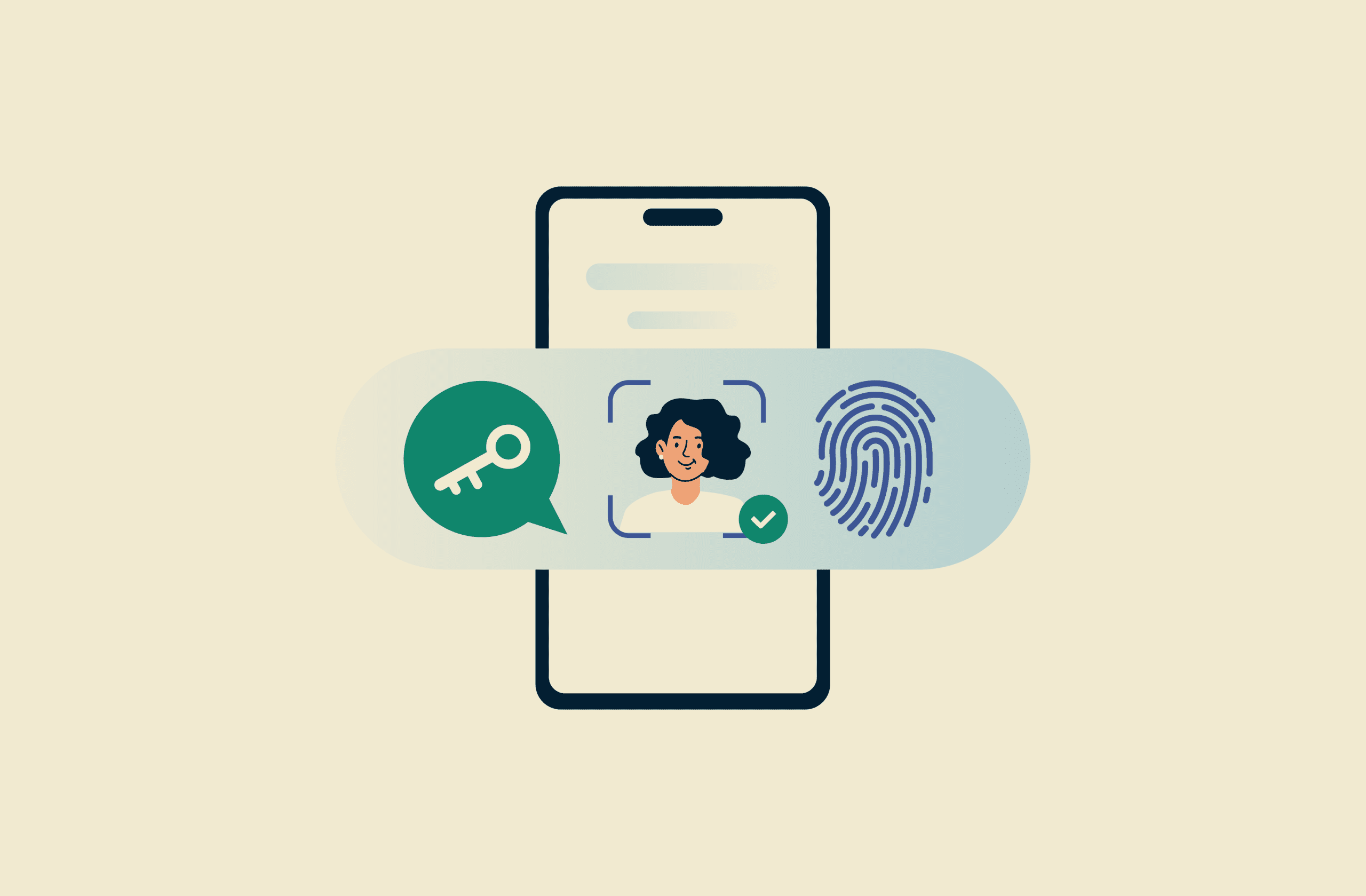
Passwordless authentication lets users sign into applications or systems without needing to enter a password. Instead, access is verified using biometrics, security keys, or other trusted devices.
Traditional passwords depend heavily on user behavior, including how they’re created and managed. Passwordless authentication uses methods that are harder to reuse, share, or steal, such as biometrics or passkeys.
As a result, passwordless sign-in methods are increasingly appearing across operating systems, browsers, and online services. Understanding how they work helps clarify what problems they aim to solve and where they fit alongside traditional passwords.
How does passwordless authentication work?
Passwordless authentication utilizes public-key cryptography. When a user registers with a service, the public key is given to the authenticating service, while the private key is stored on the user’s device.
During authentication, the server sends a challenge to the user's device. The user proves their identity using a passwordless method, such as a biometric scan, a hardware security key like a YubiKey, or a device-stored certificate, which unlocks their private key. The device then uses this private key to sign the challenge, and the server verifies the signature using the public key.
Once the signature is verified, the service treats the user as authenticated and grants access to the account or requested service. The key is designed to stay on the user's device, which helps mitigate the risk of credential reuse and large-scale credential theft.
Passwordless vs. multi-factor authentication (MFA)
Passwordless authentication and multi-factor authentication (MFA) are related concepts, but they aren’t the same.
MFA focuses on adding extra verification steps to reduce the risk of unauthorized access. In most cases, this means combining something a user knows, such as a password, with something they have or are, like a one-time code or biometric prompt.
That said, passwordless login and MFA can be combined. Passwordless MFA uses multiple passwordless factors to verify identity, which reduces reliance on shared secrets, leading to a much more phishing-resistant MFA solution.
Is passwordless authentication safe?
Passwordless authentication is generally considered safe because it reduces exposure to many common traditional password-based attacks. Without a reusable password, passwordless systems are less exposed to risks like brute forcing, credential stuffing, and adversary-in-the-middle (AiTM) attacks that target the sign-in process.
Additionally, passwordless authentication can reduce phishing risk, which often relies on tricking someone into entering their password into a fake login page. By removing passwords from the sign-in process, passwordless authentication limits what attackers can capture or reuse.
That said, traditional passwords aren’t inherently unsafe. When they’re long, unique, and properly managed, they can still provide strong protection. Best practice typically involves using passwords of 15 characters or more, with a mix of letters, numbers, and symbols.
Using a decent password manager is a good idea, too. Features like zero-knowledge encryption, built-in password generation, and secure autofill help reduce reuse and accidental exposure, allowing traditional passwords to remain a secure option in many situations.
Types of passwordless authentication
There are several types of passwordless authentication methods, each with its own unique characteristics.
Passkeys
A passkey is a passwordless sign-in method that lets you authenticate using a fingerprint, face, or PIN instead of typing a password. When you sign in with a passkey, you unlock your device, which then confirms your identity to the service without transmitting a reusable password.
Passkeys are based on the Fast IDentity Online 2 (FIDO2) standard, an open authentication framework developed by the FIDO Alliance, an industry group made up of technology companies working to improve online authentication security and reduce phishing. Passkeys began rolling out in 2022, with Apple's iOS 16 among the first major platforms to support them.
Biometric authentication
Biometric authentication is the process of verifying a user's identity using their unique biological traits, such as fingerprints, irises, or facial features.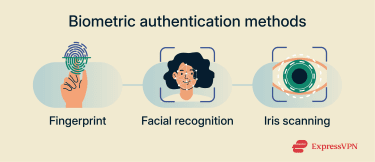
Fingerprint recognition
Fingerprint recognition is a form of biometric authentication that verifies identity by analyzing patterns on a user’s fingertip when they sign into an account. Because fingerprint patterns are highly distinctive, this method can provide a convenient and reliable way to confirm identity without relying on a password.
There are some limitations to fingerprint authentication. Injuries, moisture, or dirt can sometimes prevent a successful scan, and unlike a password, a fingerprint can’t easily be changed if it’s compromised.
Most modern smartphones support fingerprint authentication, using sensors built into the display, a side button, or the rear of the device.
Facial recognition
Facial recognition is a form of biometric authentication that verifies a user’s identity by analyzing facial features. The system captures an image of the user’s face and converts key features into a digital representation that can be securely stored on the device.
During sign-in, the system captures a live image and compares it against the stored representation to confirm that the same person is attempting to authenticate.
One well-known example of facial recognition is Apple’s Face ID. It works by projecting thousands of invisible dots onto a user’s face and capturing an infrared image to build a detailed facial map. This data is collected using Apple’s TrueDepth camera system and processed on the device, where it’s converted into a mathematical representation and securely stored, ready for authentication.
Like any other system, even Face ID has its limitations. It works best when your device is 25-50cm away from your face and can fail to recognize you under poor lighting conditions.
Iris recognition
Iris recognition works by taking high-quality images of the irises of both eyes using near-infrared lights. This image is then compressed, and its information is translated to a digital template using mathematical and statistical algorithms that can later be used for verification.
A notable example of iris recognition in consumer devices appeared in Samsung’s Galaxy S8 lineup, which used an infrared LED and camera to scan a user’s iris for biometric unlocking.
However, there are some downsides to this method, including the high cost of the specialized equipment required.
Magic links
Magic links are sign-in links sent to a user by email or SMS. Clicking the link allows the user to log into an application or system without entering a password.
Each magic link contains a unique, time-limited token that the server verifies when the link is opened. Because the user only needs to provide an email address or phone number to receive the link, this approach removes the need to create or remember a password.
However, magic links come with risks. If someone gains access to a user’s email account or phone, such as through account compromise or device theft, they may be able to use incoming magic links to sign in as that user.
Benefits of passwordless authentication
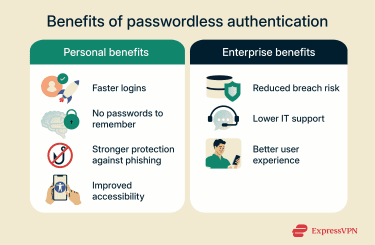
Passwordless benefits for users
- No passwords to remember or manage: One survey found that over half of the respondents reported that they reset their passwords at least once per month because they’d forgotten them. A different study found that over half of consumers have stopped using a service because they couldn’t remember their password. By going passwordless, users no longer need to remember complex passwords or reset forgotten passwords.
- More secure than weak or reused passwords: According to an industry analysis of thousands of real incidents, stolen or brute-forced credentials were involved in a large majority of breaches, and data on compromised devices showed users often had fewer than half of their passwords unique across services.
- Faster logins: A Microsoft consumer account analysis found that signing in with a password can take up to 24 seconds on average, but passkeys only take around 8 seconds in most cases. Similarly, logging in with a fingerprint or face scan makes the process much easier and faster than having to remember complicated passwords.
- Stronger protection against phishing and password theft: Passwordless authentication is considered to be more phishing-resistant because there’s no password exchanged between a user and the authentication portal.
- Better accessibility: Passwordless authentication improves accessibility for users who may struggle to remember complex passwords. They’re also beneficial for users with motor difficulties who have trouble typing on keyboards or smartphones.
Passwordless benefits for businesses
- Enhanced security and reduced attack surface: Passwordless authentication strengthens security by reducing risky password management practices and attack vectors. It’s also more resistant to brute-force attacks, credential stuffing, phishing attempts, and some AiTM attacks.
- More IT efficiency for businesses: After transitioning to passwordless, organizations may see a substantial reduction in help desk support requests for password resets and troubleshooting.
- Improved user experience: Removing the need to enter a long and complex password can help improve user experience. A survey by the Ponemon Institute, an independent research organization focused on privacy and security, found that respondents spend an average of 12.6 minutes a week entering or resetting passwords.
Challenges and risks of going passwordless
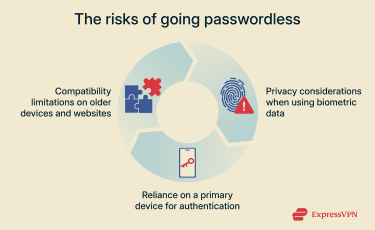
While passwordless authentication offers significant benefits, it comes with some challenges and risks as well.
Compatibility issues
Many apps, especially older ones, aren’t built to use passwordless authentication. In these cases, using a password manager to generate, store, and autofill strong, unique passwords for each account can provide a more secure alternative.
Likewise, many websites still rely on traditional password-based authentication. While they might have MFA systems via one-time passwords (OTPs) or app-based verification codes, not all websites have transitioned to passwordless authentication.
Privacy concerns around biometrics
Biometric data is highly sensitive, which matters for users because it’s not something that can be easily replaced. If a service that stores biometric data were breached, affected users may have limited options, since fingerprints or facial data can’t be changed in the same way as a password.
For those who want to avoid sharing biometric data with online services altogether, hardware security keys provide a strong alternative. These devices allow secure, passwordless sign-ins without requiring services to collect or store biometric information.
Losing your primary device
If you have your authenticator apps and passkeys on only one primary device, losing this device could render you unable to access your accounts or systems. An effective way to avoid this issue is to ensure you sync your passkeys across devices, which is something that both Apple’s iCloud Keychain and Google Password Manager let you do.
For authenticator apps, you can use cloud backup if available to ensure you can access your verification codes from another device.
Similarly, having your device stolen can be a big concern if you use passwordless authentication, as the bad actor could be able to gain access to your OTPs or magic links.
However, using MFA, a strong PIN, or a password for device access can help reduce this risk. Ensuring you have your device’s anti-theft tools enabled can also go a long way in reducing the risk here.
FAQ: Common questions about passwordless authentication
Is passwordless better than using passwords?
Passwordless authentication can offer advantages in certain situations, particularly by reducing exposure to common password-based attacks such as phishing or brute-force attempts. It can also simplify sign-ins by removing the need to remember complex credentials.
That said, passwordless methods aren’t a universal replacement for passwords. Strong, unique passwords, especially when managed with a reputable password manager, can provide many of the same security benefits. The right approach often depends on how authentication is implemented and how users manage their accounts.
Can passwordless methods be hacked?
Passwordless methods are less likely to be hacked than traditional passwords, but they do come with some risks. Many passwordless systems rely on trusted devices or email and phone access; losing a device or having an email account compromised can expose accounts that depend on them for sign-in.
This is why recovery options, device locks, and account protections like PINs, biometrics, or secondary verification steps still matter, even in passwordless systems.
How do I set up a passwordless login system?
There are several ways to set up a passwordless login system, depending on your use case and whether the platform supports it. Many platforms like Amazon and Google support passkeys, so you can access their websites and set them up for authentication if you have a device with passkey support.
For enterprises, the process is a bit more involved. It’s essential to conduct a thorough audit of your existing processes first to determine what system would work best in your organization. Afterwards, it’s a good practice to begin implementation with a pilot program and slowly scale to the rest of the organization after refining the solution based on feedback.
What are examples of passwordless authentication methods?
Some of the noteworthy passwordless authentication methods include biometrics like fingerprints and facial or iris recognition. Other methods include passkeys, physical security keys, or magic links.
Does passwordless authentication replace multi-factor authentication (MFA)?
No, passwordless authentication is only meant to replace password-based authentication methods. In fact, it can work alongside MFA to implement MFA without passwords, where all the authentication factors are passwordless.
Take the first step to protect yourself online. Try ExpressVPN risk-free.
Get ExpressVPN