VPN for consoles: Secure, fast, and easy gaming
Protect your PlayStation, Xbox, and more with a secure VPN built for speed and reliable connections
- Get robust encryption and IP masking to avoid DDoS attacks
- Avoid content-based ISP throttling for stable online gaming
- Simple setup with a Fortify router or sharing a connection via PC
30-DAY MONEY-BACK GUARANTEE FOR FIRST-TIME USERS

ExpressVPN for console gaming
Top reasons to secure your gaming consoles with ExpressVPN

Compatible with PlayStation, Xbox, and Nintendo Switch
Your gaming setup spans more than one device, and so should your VPN. ExpressVPN protects your PlayStation, Xbox, Nintendo Switch, and more with a single subscription that supports up to 14 active devices at once.
It works reliably on both the newest consoles and older models. With advanced encryption and built-in security features, every gaming session stays private and secure—no matter which device you play on.

Easy setup across all your gaming devices
Gamers want to play, not wrestle with complicated tech. ExpressVPN apps are easy to use and available for major operating systems, including iOS, Android, Windows, macOS, and Linux.
Unlike PCs or mobiles, consoles don’t support VPN apps directly. The Fortify router comes pre-configured with ExpressVPN, so you can protect your console connection without complex manual setup. Alternatively, you can share a VPN connection from your Windows PC by setting up a hotspot.

Fast, private connections designed for gamers
A reliable connection gives you the edge in every match. ExpressVPN is built for high-speed VPN performance with its global network of 10Gbps and 40Gbps servers. Plus, the Smart Location feature can automatically pick the fastest server for your network conditions.
Beyond speed, strong encryption and IP address masking keep your data private so you can stay focused on the game, not your connection.
How to set up ExpressVPN on console
Three easy options to set up ExpressVPN on your console
Method 1: Get a Fortify router
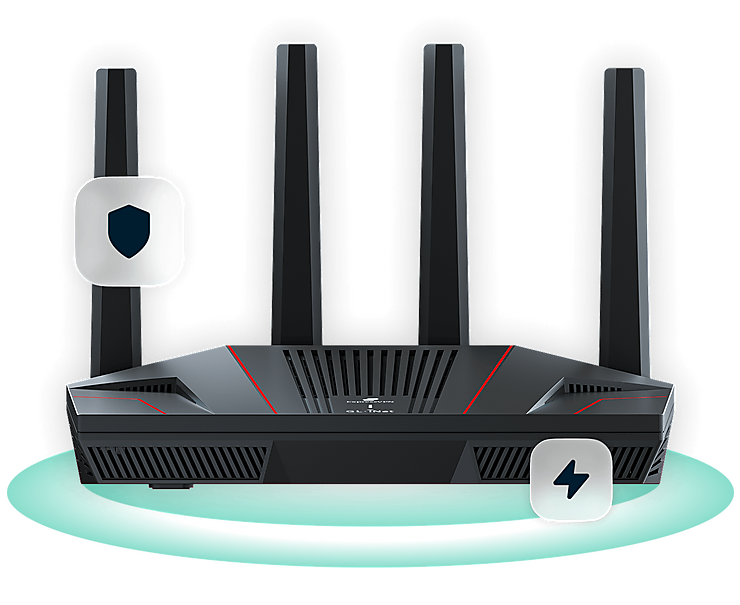
The Fortify router comes with ExpressVPN capabilities built in, so you can protect your console without installing a VPN app or setting up a VPN on your router manually. Simply connect your Xbox, PlayStation, or Nintendo Switch to Fortify to route its internet traffic through the VPN.
Once the router is set up, you can manage your VPN connection from the ExpressVPN dashboard, including changing VPN locations and choosing which connected devices use the VPN.
*Fortify comes with a 12-month ExpressVPN Advanced subscription. VPN features require an active ExpressVPN subscription to work.
Method 2: Share a VPN connection from your PC
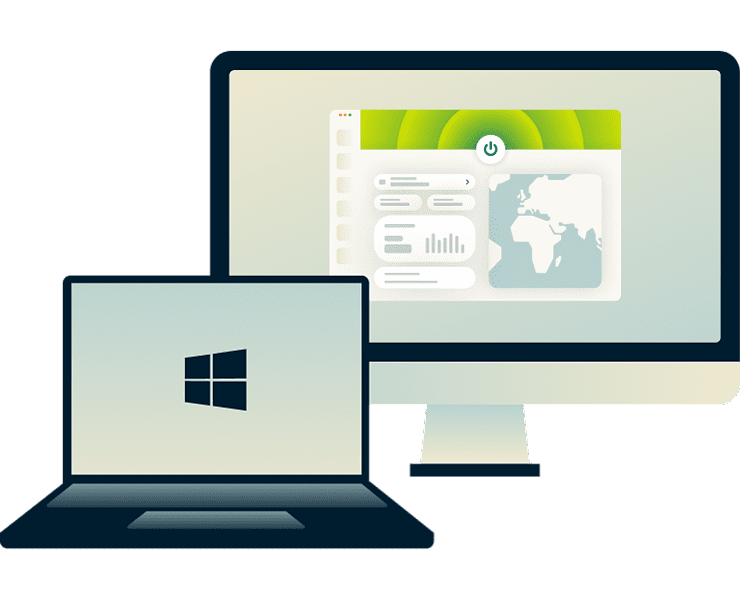
Download ExpressVPN on your Windows PC and share the VPN connection with your console. You can use your computer as a Wi-Fi hotspot or connect via an Ethernet cable.
This setup protects both your PC and your console. It’s handy if you game on both devices and want to switch servers quickly without changing the settings on your console.

Method 3: Set up with MediaStreamer (smart DNS)
MediaStreamer is designed for when you don’t need to secure your console’s connection. It lets you change your virtual location directly on your Xbox, PlayStation, or Nintendo Switch with fast, stable connections.
MediaStreamer uses DNS configuration but it doesn’t encrypt your traffic or hide your IP address like a full VPN setup. It’s a simple way to access your preferred accounts and game or stream with fast speeds.
Key benefits of using a VPN on console
Protect your gaming sessions with fast, safe, and stable connections

Lower ping and reduce lag in multiplayer
Competitive games demand low ping and consistent connections, but crowded networks and suboptimal routing can cause lag that impacts your performance.
Connecting through an optimally placed console VPN server can improve routing to game servers. ExpressVPN’s servers span 214 locations, often close to major game hubs.

Defend your connection from DDoS attacks
Playing online exposes your IP address to other players and potential attackers. Targeted DDoS attacks can knock you offline mid-match, costing you progress or affecting your rank.
ExpressVPN masks your real IP address, routing your traffic through VPN servers instead. Even if someone tries to attack you, they'll only see the VPN server's IP, protecting you from targeted disruptions.

Keep your gaming activity private on shared networks
Shared networks like dorms and cafés expose your gaming traffic to anyone on the same Wi-Fi. Attackers can intercept login credentials and payment information, and monitor what games you're playing.
ExpressVPN encrypts your connection, protecting your data from anyone monitoring the network. When gaming on the go with a Steam Deck or laptop, our kill switch blocks all traffic if your connection drops unexpectedly to avoid data leaks.

Avoid ISP slowdowns during peak hours
Your ISP may reduce speeds for high-bandwidth activity during busy periods, causing lag and unstable connections during prime gaming hours.
ExpressVPN's 256-bit AES encryption prevents your ISP from detecting gaming traffic specifically. While a VPN can't prevent network-wide slowdowns, it helps you avoid content-based throttling that targets gaming connections, giving you more consistent performance.
Real-world VPN scenarios for console gamers
Find out where a VPN fits into your gaming routine
-
![Using a VPN on PlayStation Network, Xbox Live, or Switch Online ExpressVPN works with PSN, Xbox Live, and Switch Online. Your online services will ...]()
Using a VPN on PlayStation Network, Xbox Live, or Switch Online
ExpressVPN works with PSN, Xbox Live, and Switch Online. Your online services will continue functioning normally.
Join multiplayer lobbies with confidence knowing your IP address is masked from other players, protecting you from targeted attacks and keeping your gaming activity private.
-
![Gaming with ExpressVPN while traveling Traveling often means unpredictable networks and uncertainty about using your usual games and accounts. With...]()
Gaming with ExpressVPN while traveling
Traveling often means unpredictable networks and uncertainty about using your usual games and accounts.
With servers in 113 countries, you can sign in securely and keep up your gaming routine, even far from home.
-
![Playing securely on hotel or school Wi-Fi Some networks use restrictive firewalls that can interfere with gaming traffic or VPN connections, affect...]()
Playing securely on hotel or school Wi-Fi
Some networks use restrictive firewalls that can interfere with gaming traffic or VPN connections, affecting your ability to play online.
ExpressVPN’s obfuscated servers make it harder for network admins to detect VPN use, helping maintain secure, stable connections for gaming wherever you travel.



Free VPNs vs. ExpressVPN for console
Free VPNs can’t offer the same privacy and security benefits as a paid VPN

Speed and performance advantages
Games react to every dip in performance, and free VPNs often struggle with crowded servers and limited bandwidth. ExpressVPN gives you the best VPN for gaming with a widespread network of 10Gbps and 40Gbps servers.
Our Lightway protocol is designed for reliability and speed, helping your connection stay responsive even during competitive play. You get more stability without the slowdowns common on free services.
Strong protection with no activity logs
While free VPNs may log your activity to cover costs, ExpressVPN's audited no-logs policy ensures your gaming activity stays private. TrustedServer technology runs on RAM-based servers that wipe all data on every reboot, preventing any session information from persisting.
Plus, our built-in blockers filter out trackers and malicious sites while you game, keeping your connection secure without impacting performance.

Easy setup and wide device compatibility
Free VPNs often support only one device and rarely work with consoles. When something goes wrong, you’re usually stuck waiting on email replies or digging through complicated instructions just to get back online.
ExpressVPN offers apps for Android, iOS, Windows, macOS, Linux, and more. For consoles that don’t support VPN apps, the Fortify router comes with built-in ExpressVPN capabilities, giving you a simple way to protect your console and other connected devices.

Risk-free trial and refund policy
Frustrated by slow connections or missing features on free VPNs? ExpressVPN makes it simple from the start, with clear subscription tiers so you know exactly what’s included.
Every new customer gets a 30-day money-back guarantee.* So you can test it with your console and see how it fits your gaming setup completely risk-free. With clear guides and 24/7 support, every setup option is easy to follow.
*Users who purchased their subscriptions through the Apple App Store (iTunes) or the Google Play Store do not have access to the ExpressVPN 30-day money-back guarantee. Instead, users can request refunds through the App Store or Play Store, at Apple’s or Google’s discretion.
What gamers say about ExpressVPN
See why happy customers trust ExpressVPN for fast, secure, and private gaming
@expressvpn I was able to get the service i needed for gaming 10/10 all platforms thx well worth service i needed!


Wow, @expressvpn thank you for the stable connection, allowing me to stream and game with minimal issues on my rural connection! First #vpn to do that well for me.

Yeet! Yup. Its the fastest VPN I’ve ever used to date. I dont even bother switching it off for gaming anymore. Hardly notice it.

FAQ
Everything you need to know to get started with a console VPN
Can I use a VPN on my game console?
Consoles don't support VPN apps natively, but you can connect your console to a Fortify router, which comes pre-configured with ExpressVPN. You can also share a VPN connection from your computer. MediaStreamer is another option, but it doesn’t encrypt your traffic or hide your IP address.
What’s the difference between VPN and MediaStreamer?
MediaStreamer helps your console load streaming apps quickly and reliably with a Smart DNS setup, but it doesn't encrypt your traffic or hide your IP. For full privacy and security, especially during gaming, use a VPN connection instead.
Is using a VPN for gaming legal?
VPNs are legal in most countries, but you should always follow local laws and the terms of service of the platform or game you’re using. Many players use VPNs for enhanced privacy, security, and connection stability.
Will ExpressVPN affect my console’s performance?
A VPN can influence speed, but ExpressVPN is specifically designed to reduce that impact. With high-speed servers and Lightway, our protocol engineered for a balance of security and responsiveness, most players won’t notice a difference during everyday gaming.
Can I use the same VPN account on console and PC?
Yes. You can share your PC's VPN connection with your console. A single ExpressVPN subscription supports up to 14 active devices at once. Regardless of how many devices you connect to your PC hotspot, it will still count as only one active connection on your account.
What is the best VPN for console gaming?
ExpressVPN is built for secure, stable gameplay with fast servers, the Lightway protocol for quicker response times, and strong privacy protections. It helps defend against DDoS attacks, keeps your connection private, and supports flexible setup options across all major consoles.
How to use a VPN on consoles?
Because consoles can’t run VPN apps, you can connect through Fortify or share a VPN connection from your computer using Wi-Fi or Ethernet. Fortify comes pre-configured with ExpressVPN, so you don’t need to install or configure the VPN directly on your console.
Try ExpressVPN for console gaming risk-free
Level up your gaming with a VPN engineered for speed, privacy, and security
Order ExpressVPN with confidence. New users get a 30-day money-back guarantee*. Our Trust Center lays out our security practices and no-logs commitments so you know exactly how we protect your privacy.
*Users who purchased their subscriptions through the Apple App Store (iTunes) or the Google Play Store do not have access to the ExpressVPN 30-day money-back guarantee. Instead, users can request refunds through the App Store or Play Store, at Apple’s or Google’s discretion.