What is an attack surface and how can you manage it?


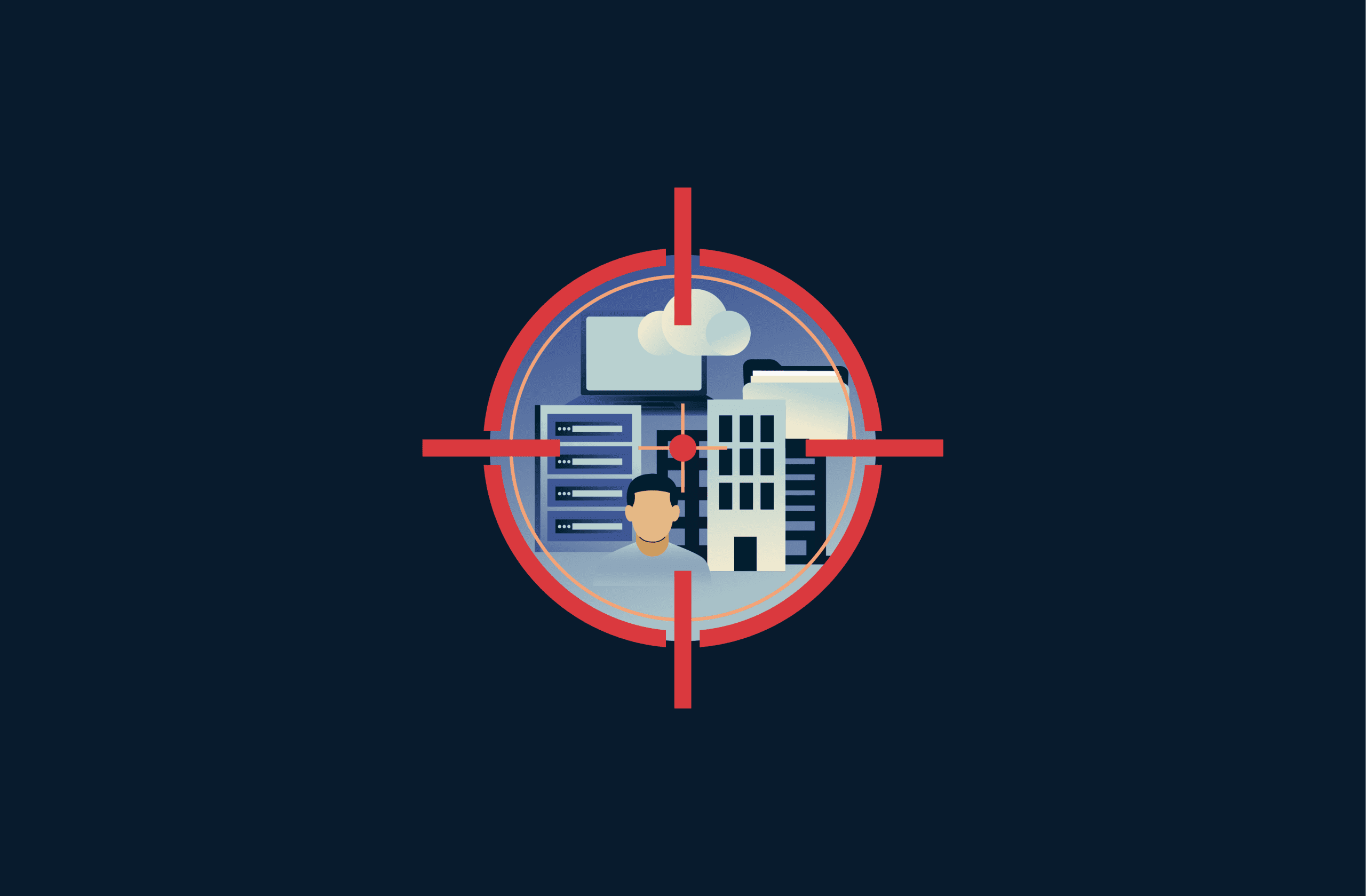
An attack surface includes all the systems, devices, applications, and user actions that attackers can target to gain unauthorized access, steal data, or disrupt normal operation. Every piece of software or hardware that individuals and companies use adds to this surface, which makes larger and more complex environments harder to secure.
This article explores how attack surfaces take shape in real-world environments, the different forms they can take, and where exposure is commonly overlooked. It also looks at practical ways to reduce and manage attack surfaces to lower risk and improve overall security.
Attack surface explained
The attack surface is the combined set of individual exposure points across systems, applications, devices, configurations, integrations, and user actions that attackers can attempt to exploit.
Some of these exposure points are intentionally public, such as internet-facing applications or services, while others are introduced unintentionally through misconfigurations, integrations, unused resources, or routine user behavior.
For example, a company website adds to the attack surface through its login page, contact forms, and connected databases. Employees who access that site through work laptops, personal phones, or public Wi-Fi also expand the surface. If the company connects the site to cloud storage or third-party tools, each integration adds new access paths that attackers could target.
Attack surface vs. attack vectors
While an attack surface describes all the possible places an attacker could try to gain access, attack vectors describe the specific methods attackers use to break in. The surface shows where risk exists, while vectors explain how attackers exploit that risk.
For example, a login page is part of the attack surface. Phishing emails, stolen passwords, or software bugs are attack vectors that attackers can use to target that page.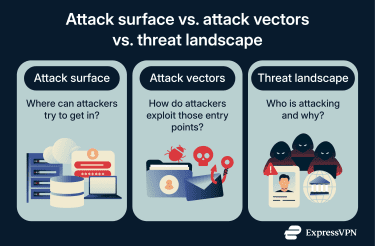
Attack surface vs. threat landscape
A threat landscape describes who the attackers are, what techniques they use, and how those techniques change over time. It includes cybercriminals, insiders, and other groups, along with their skills and motivations, such as stealing money, spying, or causing disruption.
The distinction matters because organizations can’t control the threat landscape, but they can control their attack surface. Two environments can face the same attackers yet have very different risk levels depending on how much exposure they present. Reducing an attack surface limits the number of opportunities attackers have, regardless of which tactics are currently popular.
Why attack surfaces keep expanding
Attack surfaces grow over time because environments become larger, more distributed, and more interconnected. Although attack surface expansion isn’t inherently bad, each addition to it introduces more possible points of exposure that need to be accounted for. Key drivers of attack surface expansion include:
- Cloud and Software-as-a-Service (SaaS) adoption, which introduces new internet-accessible services, accounts, and application programming interfaces (APIs).
- Remote and hybrid work, where employees access systems from home networks, personal devices, and public Wi-Fi.
- Third-party integrations, which extend trust and connectivity beyond organizational boundaries.
- Rapid development and deployment, leading to temporary resources, test environments, and exposed services being left behind.
- Asset sprawl over time, where old systems, domains, credentials, or permissions are never fully retired.
Without continuous monitoring, systems meant to speed up work can unintentionally invite risk.
Shadow IT and unmanaged assets
A major source of attack surface expansion is the growth of shadow IT and unmanaged assets. Shadow IT refers to technology that employees use without the approval or knowledge of IT or security teams. Examples include employees signing up for SaaS tools using work email addresses, teams sharing files through personal cloud storage accounts, or using personal GitHub/GitLab and AI tools for work tasks.
Unmanaged assets are slightly different. These are systems or components that are part of the network but are no longer actively maintained, monitored, or governed. As such, these assets may lack protections such as encryption, strong access controls, or timely patches, making them easier targets than actively managed systems.
Types of attack surfaces
Attack surfaces take many forms, but they fall into three broad categories: digital, physical, and human. These categories apply to organizations and individuals alike, from large enterprise environments to personal devices and accounts. Each type introduces different kinds of exposure and requires different security controls.
Digital attack surface
The digital attack surface includes all internet-connected and internal systems, applications, services, and accounts that are accessible through software or networks.
Attackers often target software vulnerabilities, misconfigured systems, or exposed services on the digital surface. This makes regular updates, vulnerability scanning, and secure coding practices essential for reducing risk.
Physical attack surface
The physical attack surface covers all tangible devices, endpoints, and locations that a malicious actor could physically touch or access. This includes laptops, servers, USB ports, mobile devices, data center entrances, and other hardware.
Physical security gaps like unlocked doors can let attackers break in or steal equipment. Lost or unattended smart devices can also be leveraged in Internet of Things (IoT) attacks to access internal networks. Controlling access to facilities and securing hardware helps lower this kind of exposure.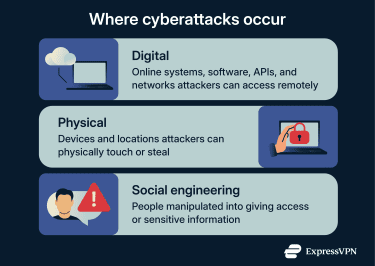
Social engineering attack surface
The social engineering attack surface relates to the human side. It includes anyone who uses a device, account, or system and can be manipulated into taking unsafe actions. Common social engineering techniques include phishing emails, scareware tactics, and other scams that trick users into sharing credentials or clicking malicious links.
Risks of an expanding attack surface
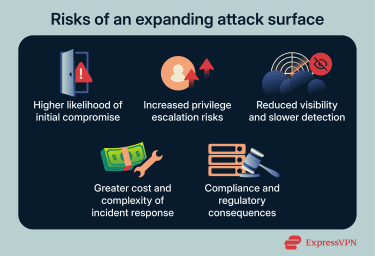
Higher likelihood of initial compromise
As more systems and services become exposed, the chance that at least one of them is vulnerable at any given time increases. Even well-secured environments may struggle to maintain perfect configuration and patching across a growing number of assets. A single overlooked system, outdated service, or misconfiguration can provide an initial foothold.
Increased privilege escalation risks
A larger attack surface creates more opportunities for attackers to find misconfigurations or vulnerabilities that allow them to escalate privileges. Privilege escalation occurs when an attacker moves from limited access, such as a basic user account or exposed service, to higher-level administrative control.
Once attackers gain elevated privileges, they can disable security controls, move across networks, and access sensitive data that would otherwise be protected. Higher privileges also increase the impact of an attack because attackers can make changes that affect more systems and users.
Reduced visibility and slower detection
An expanding attack surface makes it harder to maintain full visibility across all assets. Systems that are rarely used, newly deployed, or poorly documented may not be monitored as closely as core infrastructure. This increases the likelihood that suspicious activity goes unnoticed, extending the time attackers remain undetected.
Greater cost and complexity of incident response
A larger attack surface increases the scope of incident response efforts. Security teams must investigate more systems, validate more configurations, and coordinate remediation across a wider environment.
Compliance and regulatory consequences
A larger attack surface also increases legal and compliance risks. Many industries must follow strict rules about how they protect sensitive data like personal information, financial records, or health details.
Failing to monitor all systems that handle regulated data may also mean missing audit requirements or violating standards set by laws.
What is attack surface management (ASM)?
ASM is the practice of identifying, monitoring, and managing all the exposure points that attackers could use to access systems, data, or users. ASM treats the attack surface as something that constantly changes, and it aims to maintain visibility into everything that is reachable, connected, or exposed, including assets that are unknown, forgotten, or unmanaged.
Why ASM matters for businesses
For businesses, ASM matters because industry breach reports show that many security incidents originate from exposed or misconfigured systems rather than advanced exploits.
ASM gives businesses a practical way to keep up with the risks that come with growth. It helps organizations identify unknown or forgotten assets before attackers do, prioritize security efforts based on actual exposure, and adapt security controls as environments change.
Continuous attack surface monitoring
Because attack surfaces change constantly, ASM is not a one-time activity. Continuous monitoring is a core part of effective ASM. At a high level, continuous monitoring focuses on:
- Discovering new internet-facing assets as they appear.
- Detecting configuration changes that increase exposure.
- Identifying assets that drift outside policy or governance.
- Tracking exposure across cloud services, domains, APIs, and endpoints.
- Monitoring for leaked secrets (like cloud credentials leaked in public repositories such as GitHub).
Basic strategies for reducing an attack surface
You can reduce your attack surface by limiting how much of your technology is exposed. Simple, consistent security practices help shrink the number of entry points and make systems easier to defend. The strategies below focus on cutting unnecessary access, strengthening protections, and maintaining visibility across your environment.
- Remove unused services and systems: Regularly audit your environment to identify services, applications, or systems that are no longer needed, and decommission them. Removing unused assets directly reduces the number of potential entry points attackers can probe.
- Deploy network segmentation: Divide networks and systems into smaller, isolated segments with clearly defined traffic rules between them. If an attacker compromises one segment, segmentation limits their ability to move laterally to other parts of the environment.
- Apply the principle of least privilege: Grant users, applications, and systems only the access they need to perform their tasks. Reducing unnecessary permissions limits what attackers can exploit and minimizes the damage caused by compromised accounts.
- Keep software up to date: Apply security patches and updates promptly across operating systems, applications, and services. Many attacks rely on exploiting known vulnerabilities that remain unpatched.
- Continuously monitor for vulnerabilities: Use regular scanning and monitoring to detect new assets, configuration changes, and vulnerabilities as they appear. Continuous visibility allows teams to address issues before attackers can take advantage of them.
How network security and VPNs help manage attack surface exposure
Network-level protections and network security tools like virtual private networks (VPNs) play an important role in managing attack surface exposure by limiting what attackers can see, intercept, or directly interact with over the network.
How encryption protects data from snooping
Encryption protects data by converting it into an unreadable format while it is transmitted across a network. Even if traffic is intercepted, encrypted data cannot be understood without the correct cryptographic keys.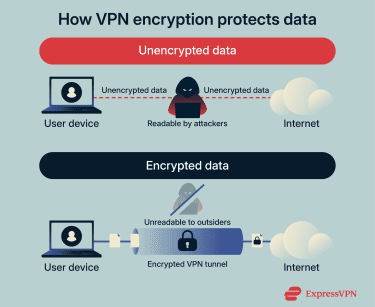
In practice, VPN encryption helps manage attack surface exposure by making sensitive information, such as credentials, session tokens, or application data, unreadable to unauthorized parties monitoring the network. This limits the value of intercepted traffic and prevents attackers from extracting useful information through passive observation.
However, encryption doesn’t conceal metadata such as traffic patterns, nor does it protect data at endpoints.
Why VPNs complement zero-trust principles
VPNs secure your connection to a system and grant network-level access after a successful login. From there on, zero-trust systems continuously validate every request before allowing access to each resource. They apply least privilege controls so a user or device only reaches specific resources they need, not the entire network. This reduces the number of exposed targets an attacker could see or exploit, even if they gain VPN access.
When you use VPNs alongside zero-trust principles, the VPN acts as a secure transport layer while zero-trust controls decide who gets access to what and when. In practice, this means a network remains encrypted and hidden from outsiders, while zero-trust policies continuously check identities and limit access to minimize lateral movement and exposure.
FAQ: Common questions about an attack surface
How can my organization manage its attack surface?
Your organization can manage its attack surface by discovering all assets, monitoring them continuously, and fixing vulnerabilities as they appear. Use regular vulnerability scanning, security audits, and access controls to reduce exposure and stay ahead of threats.
What tools identify attack surface risks?
Tools that identify attack surface risks include network and vulnerability scanners. These tools detect the vulnerabilities, rate them based on their level of seriousness, and offer ways to remediate them.
What is the difference between an attack surface and a threat landscape?
An attack surface is the set of all places attackers could try to gain access to an organization’s systems. The threat landscape is the range of actual threats, attackers, and tactics that are active and seeking to exploit those vulnerabilities.
How often should I review the attack surface?
You should review your attack surface continuously and after major changes such as new technology deployments, cloud migrations, or updated services. Regular review ensures you spot new exposures before attackers can exploit them.
Take the first step to protect yourself online. Try ExpressVPN risk-free.
Get ExpressVPN