Authentication vs. authorization: What’s the difference?


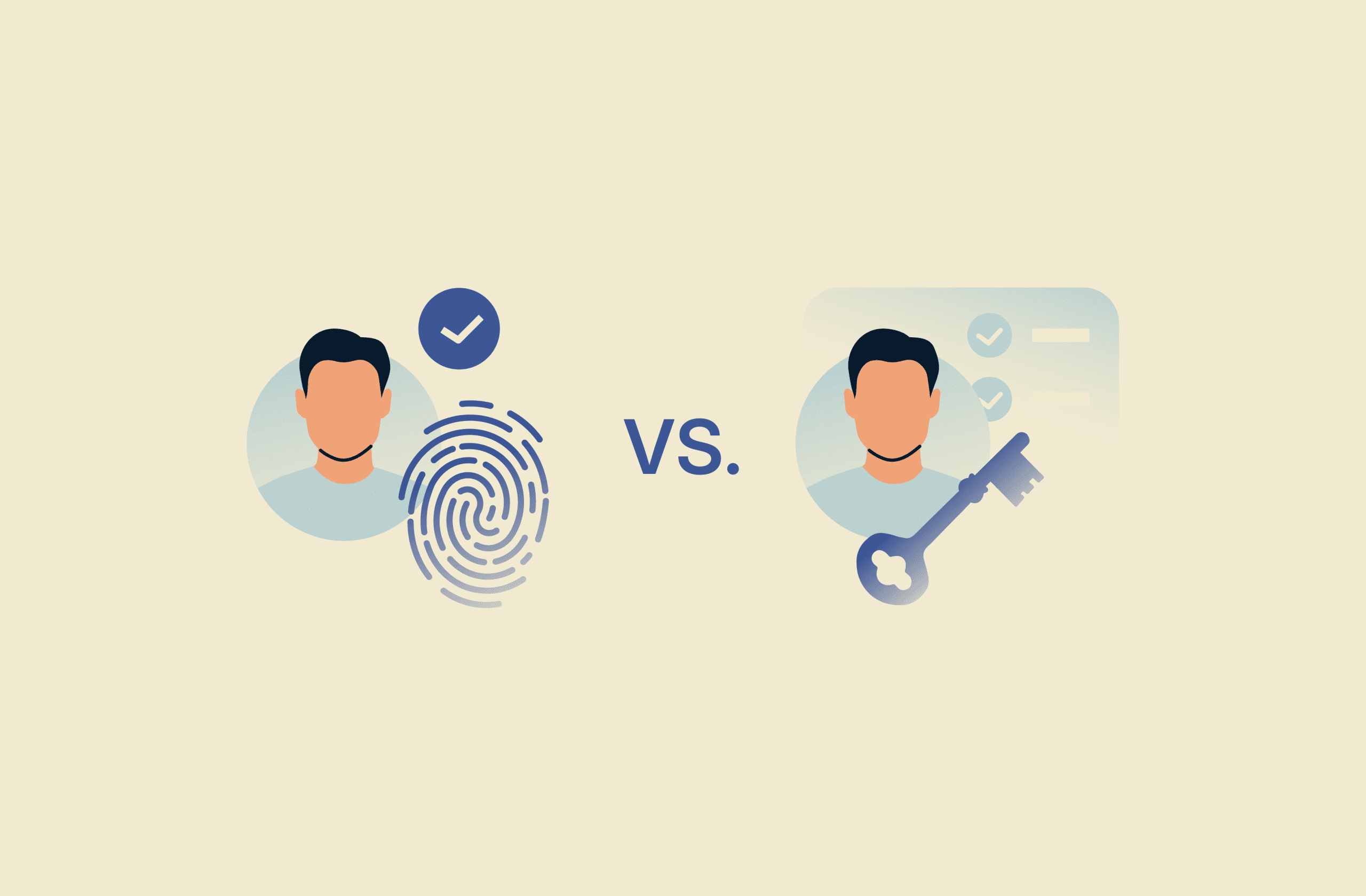
Authentication and authorization are often confused, but they play distinct roles in access control and security. Together, they help control who can enter a system and what actions they can take once they're inside.
In this article, we’ll break down the difference in detail and show how these two concepts work together to keep systems protected.
What is authentication?
Authentication is the process of verifying a user’s (or other entity's) identity. It’s often required before a system can decide whether to grant access, though access decisions are typically enforced through authorization and other policies.
Here are some typical examples of authentication:
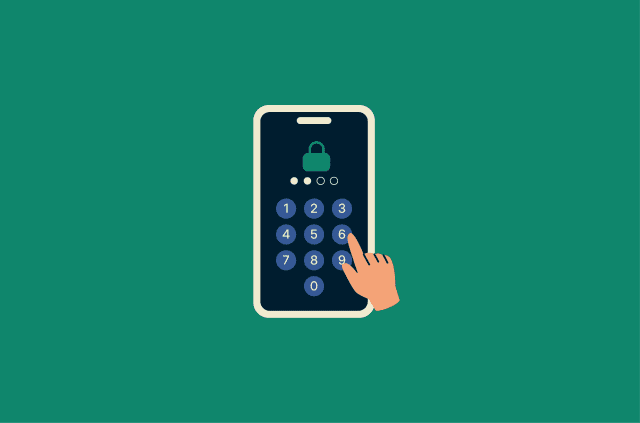
- Fingerprint, facial scan, PIN, or pattern to unlock a smartphone.
- Username and password to sign into a mobile app.
- Government-issued ID to verify your identity when opening a new bank account.
- HTTPS certificate validation in a web browser to confirm a website’s identity.
- Username and password, plus a one-time code, like two-factor authentication (2FA) or multi-factor authentication (MFA), to access a cloud account.
How does authentication verify user identity?
Authentication confirms identity by requiring a user (or device) to demonstrate they’re the rightful owner of an account, through a credential, a device-backed check, or another accepted signal, and then validating that claim.
To strengthen sign-ins, many services add step-up checks that are valid only briefly (such as approval prompts or expiring codes). These measures can make credential theft harder to exploit, even though no approach fully removes risk.
Common authentication methods
Authentication factors generally fall under one of three categories:
- Possessions (something you have): A device or token you possess, such as a security key, phone, or hardware/software token registered to your account.
- Knowledge (something you know): A memorized secret, such as a password or PIN.
- Inherence (something you are): A biometric trait, such as fingerprints or facial recognition.
Password
A password is a secret sequence of characters used to authenticate access to a system. Passwords usually consist of mixed-character strings, and some systems also use numeric PINs as memorized secrets. Users may create these themselves or generate and store them with password managers.
Systems often set rules to encourage strong passwords, such as minimum length requirements (and sometimes complexity requirements). Strong, unique passwords can be highly resistant to brute-force techniques, especially when systems limit login attempts and check passwords against known-compromised lists. However, anyone who learns the password can use it, which makes this method vulnerable to exposure, reuse, and theft.
Time-based authentication
Some systems use one-time passwords (OTPs), such as time-based codes (TOTP), to authenticate users. Because these codes expire quickly, intercepted codes are harder to reuse later, though they can still be abused within the short validity window.
These codes are typically generated by an authenticator app or hardware token. Some services also use app approval prompts instead of typed codes. Users may receive codes or access requests via SMS, email, a companion app, or a dedicated authenticator app/hardware token.
Physical key
Physical keys grant access to physical locations or facilities and are a common “something you have” authentication method. Common forms of physical access credentials include keycards, key fobs, or swipe cards.
In digital authentication, hardware security keys are another “something you have” option, and many connect via USB, near-field communication (NFC), or Bluetooth to transmit authentication data.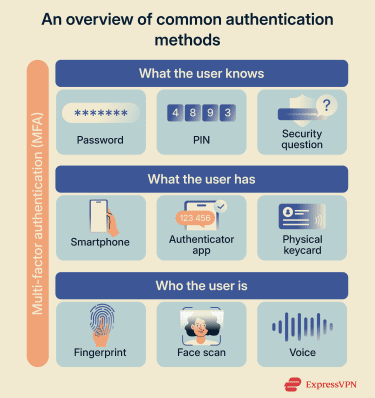
Biometrics
Biometric authentication involves verifying a user based on biological (and sometimes behavioral) traits. Common methods include fingerprint, facial recognition, and, in some systems, voice, palm/hand, or iris/retina scanning.
Today, biometrics are a popular method because they're difficult to steal or replicate, can't be forgotten like passwords, and provide convenient, fast authentication. However, biometric characteristics aren’t secret and can sometimes be captured or imitated, so they’re often used to unlock a device-bound credential or as an additional authentication layer rather than a standalone replacement in every system.
Multi-factor authentication (MFA)
Strictly speaking, 2FA and MFA are not authentication factors but authentication-strengthening techniques. They involve using two or more different factor types to verify a single authentication request.
An example of a weaker multi-step check is asking a security question alongside a password. However, since both rely on the user's knowledge and are entered on the same device, this approach isn't considered true 2FA and is generally treated as less secure.
A more common approach combines a memorized secret with a possession-based check. For example, a user enters their username and password, then confirms the sign-in with an OTP.
Pairing MFA with a password manager can help users maintain strong, unique passwords across multiple accounts. Many services use cloud-based Identity-as-a-Service (IDaaS) platforms to centralize authentication and manage MFA across applications.
Single sign-on (SSO)
SSO allows users to authenticate once with a single account and then access multiple apps, services, or platforms without signing into each one separately. Typically, an identity provider establishes a session and provides trusted tokens or assertions that connected services accept.
SSO can reduce password reuse and lower exposure by eliminating the need to repeatedly enter credentials. Using strong passwords and MFA helps protect the initial SSO sign-in.
Passkey
Passkeys are a relatively new, passwordless authentication mechanism that typically provides secure access per account. Unlike SSO, passkeys don't rely on shared sessions; instead, they use cryptographic keys.
That said, the same passkey system can work with multiple accounts. For example, if you’re signed into multiple Google accounts on your phone, it can authenticate you to each account by selecting the relevant one (one at a time).
Many popular ecosystems support passkeys, including Apple, Microsoft, and Google. A passkey keeps a private cryptographic key and registers a corresponding public key with each linked account.
When a user attempts to sign into a website, app, or service, the passkey is unlocked locally (often with biometrics or a device PIN) and then completes the sign-in by responding to a cryptographic challenge that the service verifies using the stored public key.
What is authorization?
Authorization determines what level of access a user has within a system. Once a system has authenticated a user’s identity, authorization establishes which resources, functionality, permissions, or parts of a system they can view or interact with.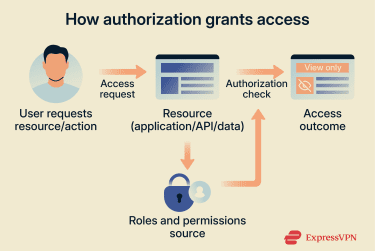
Real-world examples of authorization include:
- A news site that limits certain articles to paying users.
- A streaming service that checks your subscription tier before showing 4K content.
- A corporate intranet that restricts access to certain business systems unless you’re connected through an approved remote-access method, such as a company virtual private network (VPN).
- A customer database with different combinations of view and edit permissions for marketing, sales, or data management staff.
- A healthcare app that allows logged-in users to only see their own medical history.
How authorization controls access
Authorization is commonly enforced through user permissions, which define what actions a user can perform.
Permissions often align with user roles and required resources (and in many systems, with other attributes such as department, device, location, or risk signals). For example, a system administrator, a sales assistant, and a customer need drastically different access levels to different parts of the same system.
Authorization policies serve three main functions:
- Identity grouping: Categorizes users by role (e.g., administrator, employee, customer), location (internal network vs. remote access), or other attributes (e.g., department or security clearance level).
- Efficiency: Streamlines workflows by limiting each user's view to only relevant systems. For example, customer service staff see support tools and customer records, not financial systems or code repositories.
- Security: Enforces least-privilege controls, meaning users are granted only the minimum permissions needed for their roles, to protect resources if part of them is compromised.
Common authorization models and frameworks
An authorization model is the conceptual approach that describes how access decisions are made. An authorization framework, on the other hand, is the technical standard or system used to implement and enforce those decisions.
Some of the most common authorization models are:
- Role-based access control (RBAC): Grants or restricts system access based on predefined user roles. Users are assigned roles that reflect the permissions needed to perform their duties.
- Attribute-based access control (ABAC): Determines access by evaluating rules against attributes of the user, the resource, and the request context (such as department, security clearance, time, or location).
- Access control lists (ACLs): Define which users, groups, or system identities can access a specific resource and what they can do (for example, read, write, or execute). Network ACLs can also resemble firewall rule lists in how they permit or deny traffic.
- Policy-based access control (PBAC): Uses centrally managed policies (rules/logic) to make authorization decisions, often incorporating roles and/or attributes depending on the policy design.
One of the most widely used authorization frameworks is Open Authorization (OAuth) 2.0. It uses access tokens to let users grant third-party applications limited access to protected resources without sharing their username and password, and it’s commonly used for delegated access, especially for APIs and consumer web services where an application needs permission to act on a user’s behalf.
Authentication vs. authorization: Key differences
Although these terms sound similar and are often (wrongly) used interchangeably, they play distinct roles in an organization’s identity and access management (IAM) strategy.
| Authentication | Authorization | |
| What it does | Verifies a user’s identity | Determines what an authenticated user can access/do |
| How it works | Checks what the user knows, has, or is | Evaluates roles, permissions, and/or policies for the requested resource/action |
| When it happens | At the start of a login or access attempt (and sometimes when re-checking identity) | After authentication, whenever a resource or action is requested |
| Visibility | Often visible to the user (e.g., sign-in prompts) | Often, behind the scenes, most noticeable when access is denied or limited |
| Common methods | Passwords, biometrics, passkeys, OTPs | RBAC, ACL, and OAuth 2.0 access tokens |
| Who controls it | Users plus the organization (e.g., account policies and MFA requirements) | Primarily, administrators through roles, policies, and permission settings |
Purpose and sequence
Authentication verifies the user’s identity when they attempt to enter a system. Authorization then uses this verified identity to determine permissions before granting access to specific resources, such as files or features.
In many systems, authorization is evaluated after successful authentication. If a user fails authentication, they won’t be able to access the system to request protected resources. If authentication succeeds but authorization fails, users may be signed in but blocked from specific resources or actions.
FAQ: Common questions about authentication and authorization
What is the difference between authentication and authorization?
Authentication verifies who is attempting access, while authorization determines what they can access and do. They work together to secure an environment while allowing authorized users to access the resources they need.
Is OTP authentication or authorization?
A one-time password (OTP) is part of the authentication process, often used as an additional step after a user enters their password (though some systems can also use OTP as the primary sign-in method).
Depending on the setup, the code may be delivered to another device or account (for example, via SMS or email) or generated by an authenticator app or hardware token, as with time-based one-time passwords (TOTP). The user then enters the code or approves the prompt to help confirm their identity.
How do OAuth and OIDC relate to authentication and authorization?
Open Authorization (OAuth) and OpenID Connect (OIDC) serve different but related purposes in access control systems. OAuth 2.0 is an authorization framework that allows applications to request limited access to user resources via scoped access tokens, without handling credentials directly.
OIDC is an identity layer built on OAuth that adds standardized user authentication via ID tokens. Many providers, like Google, use OIDC-style flows so users can sign in to third-party websites without creating new accounts.
What role does multi-factor authentication (MFA) play?
MFA strengthens security by requiring two or more distinct authentication factors to verify identity. Common combinations pair a password (and account sign-in) with a one-time code (OTP) from an authenticator app or hardware token, or with a biometric check, often used to unlock a device-bound credential.
How do authentication and authorization work in APIs?
In APIs, authentication verifies who or what is making the request, while authorization determines what actions the requester can perform. Systems use APIs to communicate service-to-service or on behalf of users.
The API validates the requester's identity using credentials such as access tokens, client certificates, or API keys. It then refers to its authorization rules to determine whether the API call is permitted based on scoped access tokens, roles, or permissions.
Take the first step to protect yourself online. Try ExpressVPN risk-free.
Get ExpressVPN