Introducing ExpressMailGuard: Email privacy, built for how the internet actually works


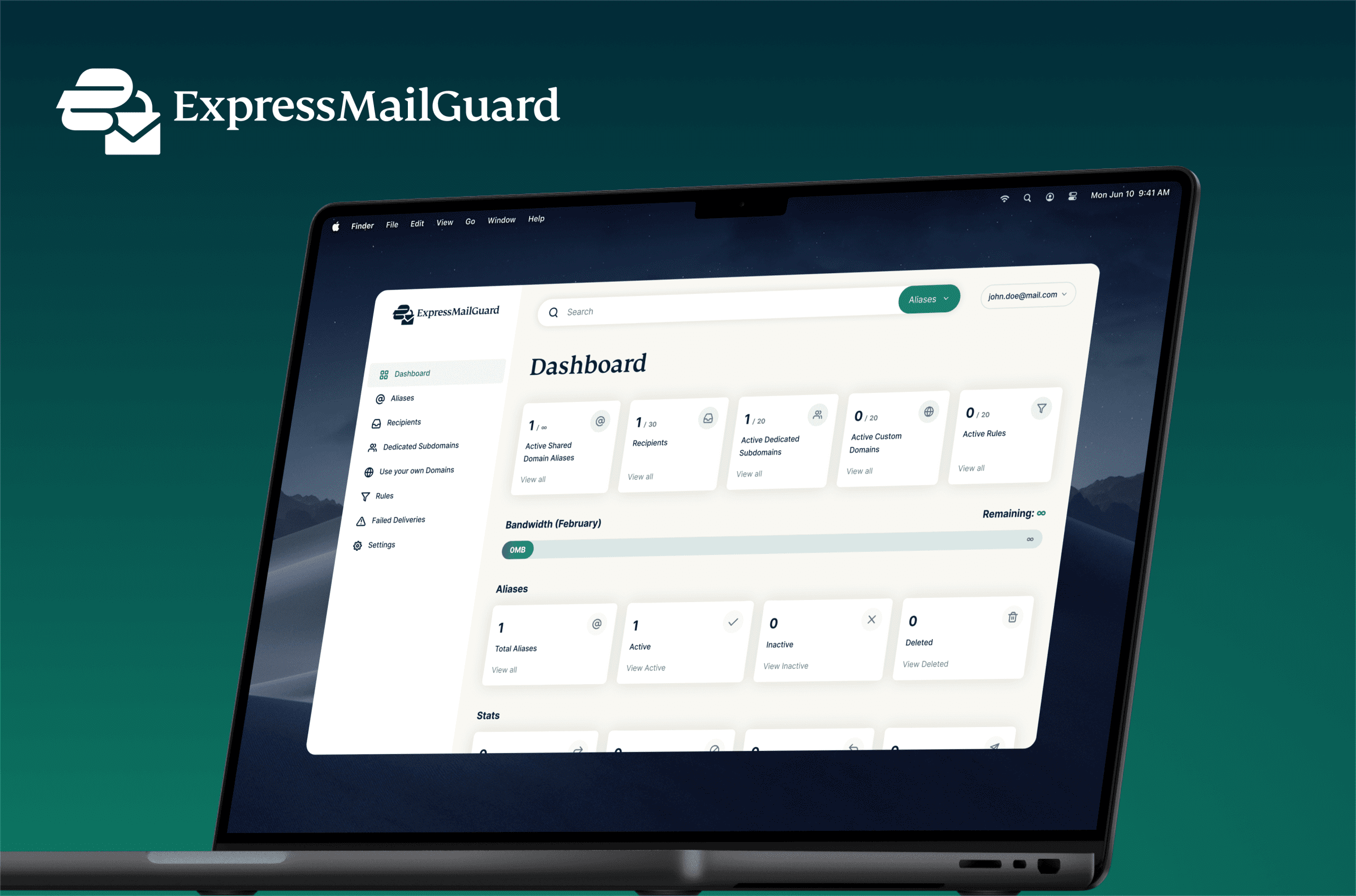
Most services still require your real email address. We built ExpressMailGuard so you don’t have to give it up just to sign up.
Email has become the internet’s default identifier, even when most signups are temporary. ExpressMailGuard helps you protect your real inbox by using aliases instead.
- Create aliases for signups, trials, shopping, and newsletters without handing out your real inbox.
- Forward mail from any alias to the recipient inboxes you choose.
- Disable an alias instantly if it gets misused, leaked, or noisy, without changing your real email address.
- Manage everything from one dashboard, with visibility into forwarding, blocking, replies, sending, and delivery failures.
- Add rules on select plans to automatically allow, block, or route mail based on conditions you set.
- Reply and send from an alias, so conversations don’t force your real addrev
Emails have become the internet’s default form of identity. The address you trust for your most important accounts is the same address every signup tries to collect, whether you are grabbing a one-time discount, testing a tool you’re not sure you’ll keep, or creating an account you may never use again.
Spam is the part people notice, but the deeper problem is privacy. Your email address acts as the master key to your digital life, linking your bank accounts, social media, and searches. Once that real address is collected and sold, you lose control over who contacts you and how your data is tracked.
We built ExpressMailGuard to change that. You keep one real email address for the accounts that matter and use aliases everywhere else. You stay reachable, but your primary identity stays private.
How ExpressMailGuard works
ExpressMailGuard works alongside the inbox you already use. It works with any email provider and any device, because it forwards mail to wherever you want it to land. When a site asks for your email, you give it an alias. That alias becomes the only address the service interacts with.
When someone emails that alias, ExpressMailGuard receives the message and passes it through its secure relay layer. This layer acts as a privacy shield. It strips away the direct link to your identity before forwarding the message to your personal inbox.
Once the message is successfully delivered to your destination inbox, it’s immediately deleted from our system. ExpressMailGuard doesn’t retain your delivered messages. If a delivery fails, however, you can choose how we handle it. By default, failed messages are discarded, but you can opt to have them temporarily stored (for up to 7 days) to help you troubleshoot why they didn't arrive.

You can also change your recipient inboxes later without changing the alias the outside world knows. That matters because people change providers, split mail across inboxes, or tighten their setup over time. ExpressMailGuard lets you update your side without rewriting dozens of account settings across the internet.
The features that matter in day-to-day use
These are the pieces that make ExpressMailGuard practical in the real world:
1. Alias management you can actually use
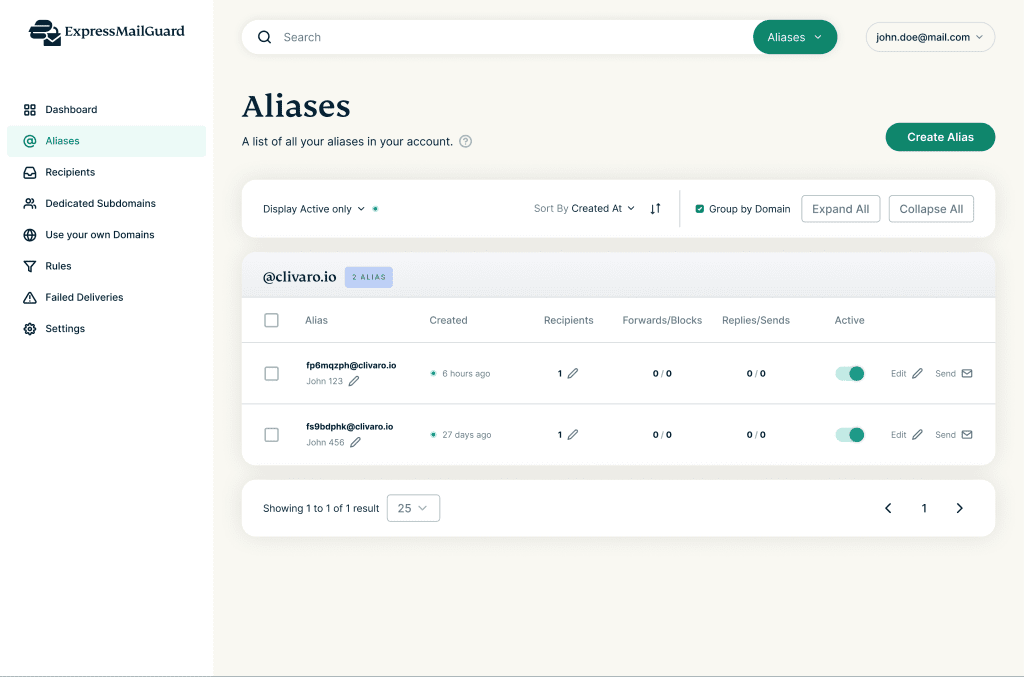
ExpressMailGuard gives you one place to create and manage aliases. You can enable, disable, or delete them, and you can see which ones are active, inactive, or gone.
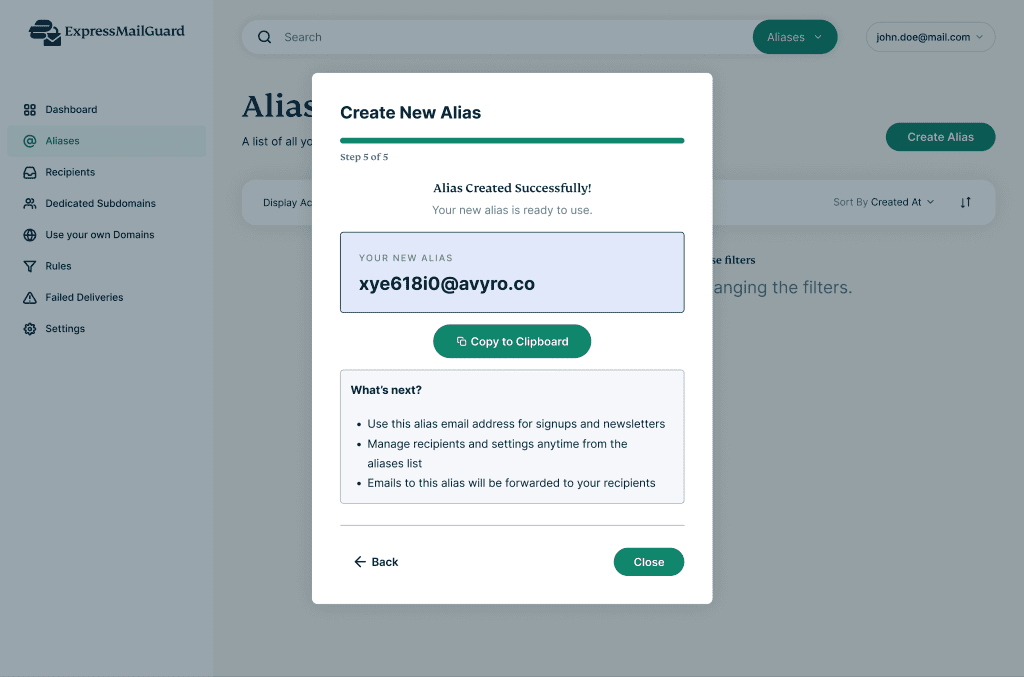
This is where the service becomes practical, as you don’t need to fight the mess inside your inbox when an alias starts attracting spam or shows up in a leak. You simply shut down the alias and move on.
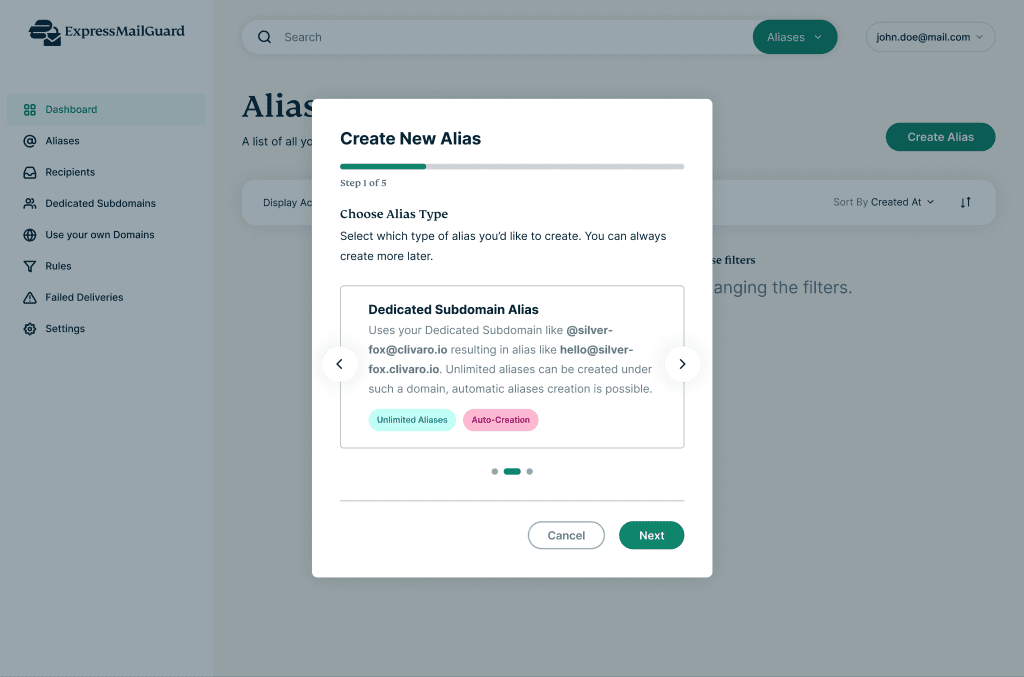
While every plan includes unlimited aliases*, the specific types of aliases and domains you can use depend on your ExpressVPN subscription tier (Basic, Advanced, or Pro).
2. Recipient inboxes that don’t lock you in
ExpressMailGuard lets you define one or more recipient inboxes and control where forwarded mail goes. You can route different aliases to different inboxes and update recipients later without changing the alias itself.
That means if you switch inbox providers or reorganize where certain mail lands, you update it once in ExpressMailGuard instead of updating your address across dozens of accounts.
3. Create aliases on the fly with Dedicated Subdomains
ExpressMailGuard assigns you a Dedicated Subdomain, a unique, randomly generated address (e.g., @fluffy-teacup.emg-mail.com). This gives you a private workspace where you can create aliases instantly using a pattern you control, like shopping@fluffy-teacup.emg-mail.com or newsletters@fluffy-teacup.emg-mail.com.
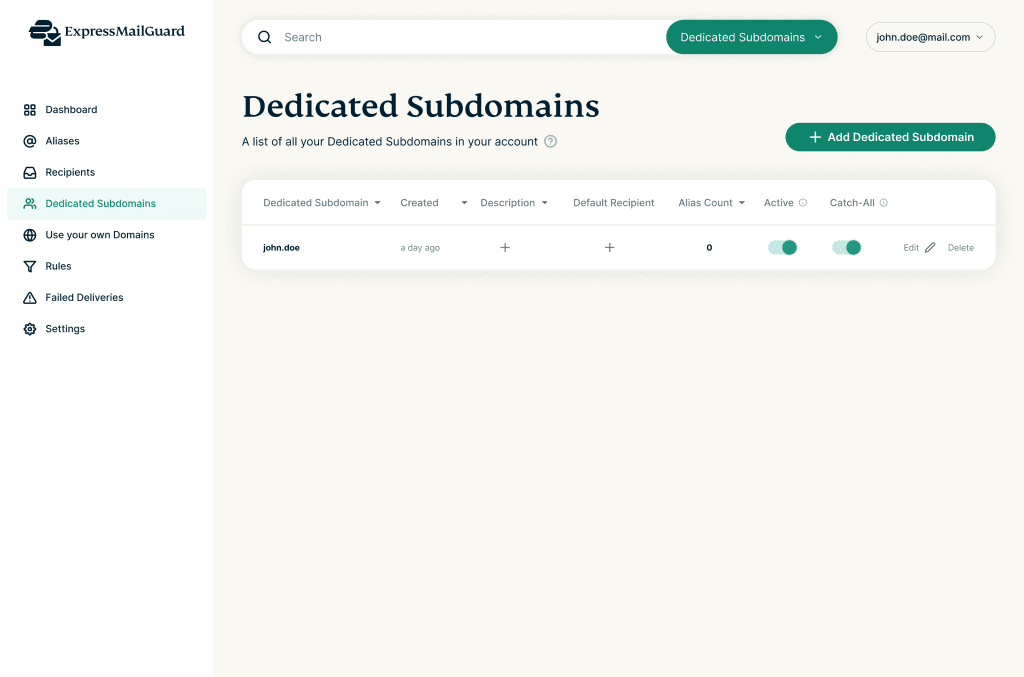
You don’t need to set up a personal domain or worry about names being taken. If you want to separate different parts of your life (like keeping your “Finance” identity totally separate from your “Social” identity), you can generate additional unique sub-domains depending on your plan.
4. Rules and automation that reduce mental load
Basic alias tools stop at address creation. ExpressMailGuard goes further with rules.
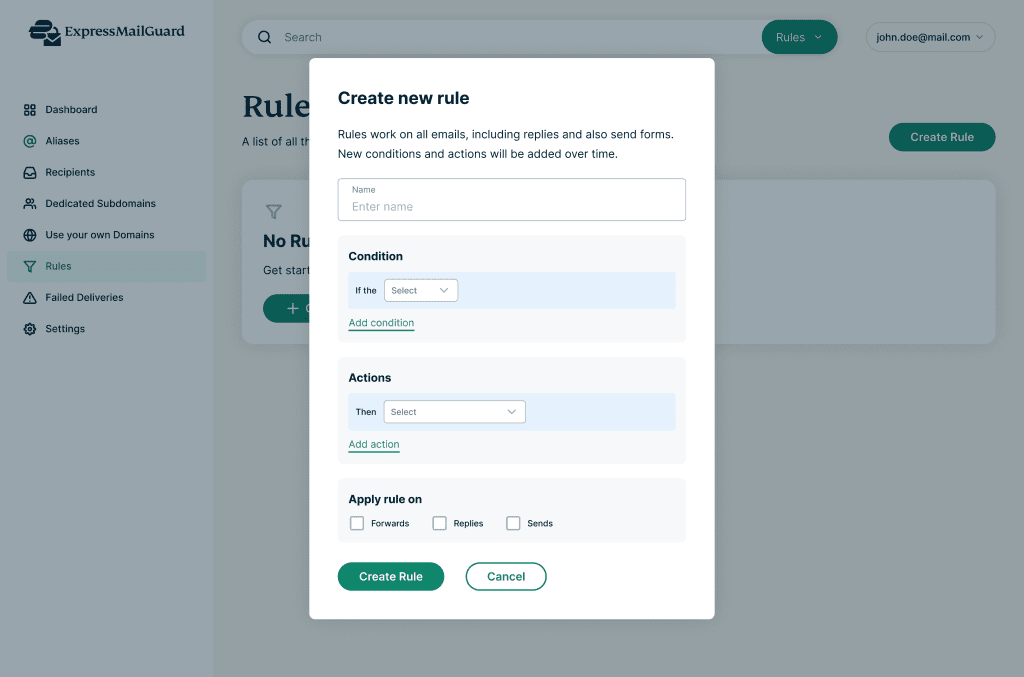
On plans that include rules, you can automate decisions at the relay layer. You can allow or block mail, route it conditionally, and apply the same logic across multiple aliases without handling everything one message at a time.
5. Monitoring and visibility, including the stuff that usually fails silently
When email breaks, it usually does so quietly. A message doesn’t arrive, a forward fails, and you only discover it when a reset link or receipt never shows up.
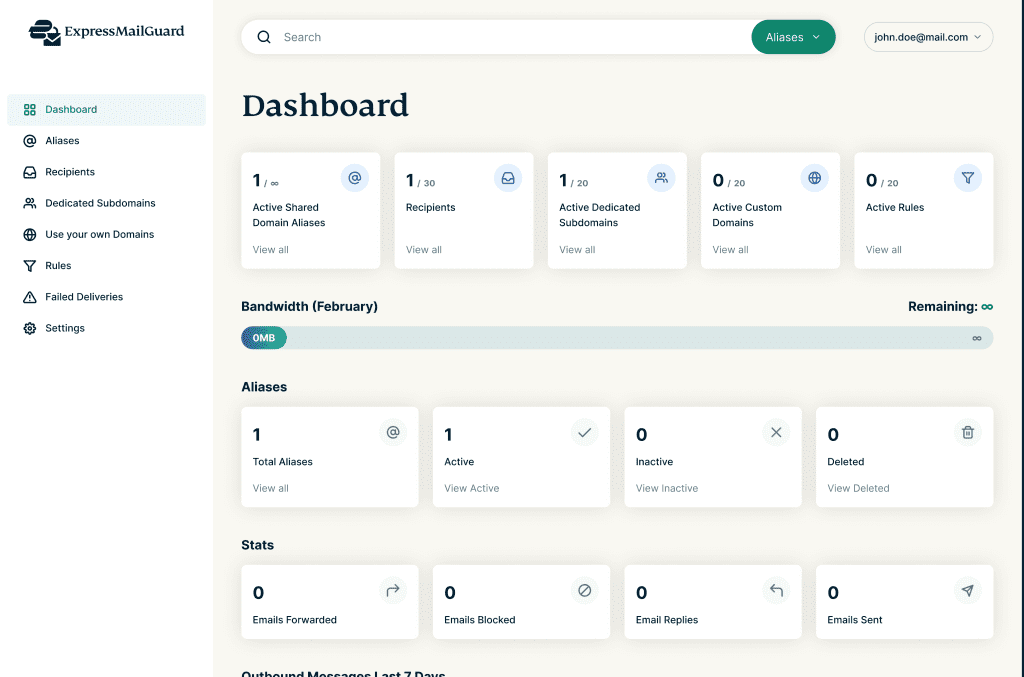
ExpressMailGuard gives you a dashboard that shows what’s happening across your aliases, including:
- Emails forwarded
- Emails blocked
- Email replies
- Emails sent
- Alias counts (active, inactive, deleted)
- Failed deliveries, with a dedicated view for troubleshooting
It also includes a monthly bandwidth usage view so you can see how much mail flows through the service over time.

6. Reply and send from an alias
A lot of email privacy tools protect incoming mail, but then fall apart the moment you reply. ExpressMailGuard supports replying and sending from an alias, so replying doesn’t automatically expose your real address.
| To prevent abuse, sending from aliases is subject to daily limits that scale by plan. |
Like a VPN for your email
If you use a VPN, you already understand the logic behind ExpressMailGuard. We built this tool to apply the same privacy principles you use for your connection to the emails you receive.
- It hides your identifier: A VPN protects your identity by hiding your IP address; ExpressMailGuard protects you by hiding your real email address.
- It blends your traffic: A VPN uses shared IPs to make it impossible to trace activity back to one person; ExpressMailGuard offers shared domain aliases to achieve the same anonymity for your inbox.
- It leaves no trace: A trusted VPN never logs your browsing history; ExpressMailGuard applies the same principle to your inbox. Successfully delivered messages are deleted from our servers immediately. We don't build profiles or keep archives of your conversations.
How to get ExpressMailGuard
ExpressMailGuard is available as part of ExpressVPN’s tiered plans and stays active for as long as your VPN subscription stays active.
All tiers include unlimited aliases*. Other limits scale by plan, including recipient inboxes, Dedicated Subdomains, rules, and daily reply/send allowances.
Check your ExpressVPN account for details based on your specific plan.
The new normal: one real address, many aliases
Email isn’t going away. The internet still treats it as the easiest way to identify you, even when the relationship is temporary.
ExpressMailGuard exists because you shouldn’t have to pay for temporary access with a permanent identifier. Keep one real inbox for what’s important; use aliases for everything else. When something changes, shut down the one address that caused the problem and keep moving.
*Unlimited aliases applies to aliases created on your Dedicated Subdomains. Caps apply to Shared Domain aliases. Availability of specific features varies by subscription tier.
Take the first step to protect yourself online. Try ExpressVPN risk-free.
Get ExpressVPN