SSH key authentication explained: How it works, why it matters, and how to set it up


Passwords help protect accounts and remote access, but weak or reused credentials can still be guessed, stolen, or abused.
Secure Shell (SSH) key authentication offers a more secure way to sign into systems and services that support SSH. It's widely used for server administration, file transfers, and developer workflows because it can improve security and simplify access management.
This guide explains how SSH key authentication works, its benefits, risks, and best practices for setup and management.
What is SSH key authentication?
SSH is a protocol for secure remote login and other secure network services over an insecure network, and its authentication framework includes public-key, password, and host-based methods. SSH key authentication is a public key authentication method used by SSH to authenticate users connecting to remote servers, Secure File Transfer Protocol (SFTP) services, and code repositories that support SSH access.
Unlike passwords, which rely on something a user knows, SSH keys rely on proving possession of a cryptographic key that matches an authorized public key. Because the private key is not sent to the server during login, this approach helps reduce the risks of password guessing, reuse, and exposure.
The SSH protocol was created by Tatu Ylonen in 1995 after a password-sniffing attack on a Finnish university network. Ylonen designed it with the goal of securing remote access over untrusted networks.
How does SSH key authentication work?
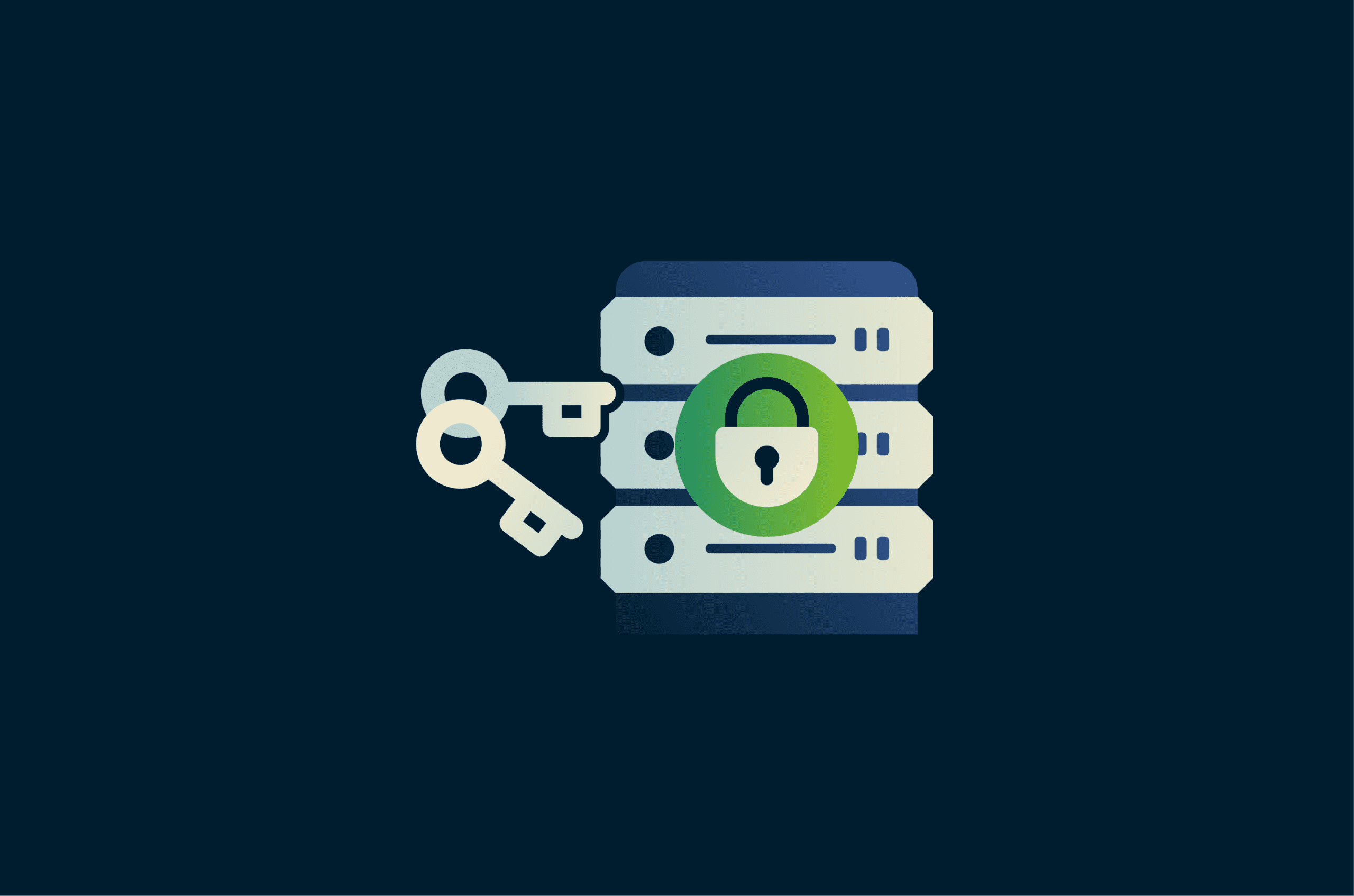
Instead of a password or passkey, public key authentication uses a pair of cryptographic keys:
- Private key: Stored securely on the client device and never shared. It's used during authentication to prove possession of the key.
- Public key: Added to the remote server in advance, commonly in a file called authorized_keys in OpenSSH environments. The server uses it to verify signatures made with the matching private key.
When a client device connects to a remote server using SSH, the two first exchange protocol information and negotiate cryptographic algorithms. They then perform key exchange, verify the server’s host key, and establish a secure channel with encryption and integrity protection.
The server then begins user authentication. To prove possession of the private key, the client uses it to create a cryptographic signature that the server can verify with the stored public key. The server checks whether the corresponding public key is authorized for that user and verifies the signature using that public key.
If the signature is valid and the key is authorized, the server can accept the login, though some systems may require additional authentication. The private key never leaves the client device. After authentication, the SSH session remains encrypted and integrity-protected, including commands and file transfers.
Read more: How public key infrastructure (PKI) uses public and private keys.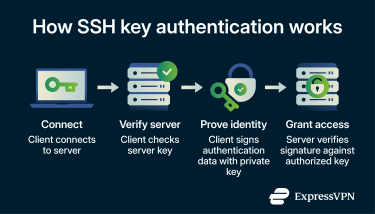
Benefits of SSH key authentication
SSH key authentication offers several advantages over passwords, especially for remote access.
- Stronger security: SSH keys use strong public key cryptography. The private key stays on the client device and is not sent to the server during authentication. This helps reduce risks of brute-force attacks, password reuse, and credential stuffing, though it doesn't eliminate risks such as stolen private keys or compromised client devices.
- Convenience: SSH keys can eliminate the need to enter a password at each login, making remote access faster.
- Automation: SSH keys work well for scripts, deployment pipelines, and other automated tasks. They're better suited than interactive passwords for non-interactive authentication and can be managed more securely than embedding plaintext credentials in scripts.
- Access management: Administrators can grant or revoke access by adding or removing authorized public keys on a server. This can reduce password sharing and simplify permission management, although the exact key file location and management model may vary across implementations and environments.
How to set up SSH key authentication
Most Linux and macOS systems include an SSH client by default. On Windows, OpenSSH is available as a built-in feature on current supported versions, though some users may need to enable it first. System administrators typically set up SSH key authentication when provisioning new servers or onboarding team members.
While details may differ depending on your operating system, the general steps for setting up SSH key authentication are similar:
- Generate a key pair: Create a private key and a corresponding public key on the local machine using a tool such as ssh-keygen. Protecting the private key with a passphrase adds an extra layer of security.
- Add the public key to the server: Copy the public key to the server and place it in the target user's ~/.ssh/authorized_keys file in common OpenSSH setups. This allows the server to accept logins for that account when the client proves possession of the matching private key. You can add the key automatically using ssh-copy-id while password login is still enabled, or manually by pasting it into the file.
- Set the correct permissions: Restrict permissions for the .ssh directory and the authorized_keys file. Incorrect permissions can cause the server to reject the key or expose the key-related files more broadly than intended.
- Test the connection: Try logging in from your local device. If everything is configured correctly, the server should accept the key-based login, though some systems may still require an additional authentication step.
Also read: How to set up a home server from scratch.
Common SSH key authentication risks
While SSH key authentication is generally more secure than passwords, it comes with unique risks when keys are not properly managed.
Key sprawl
When organizations create SSH keys without strict oversight, they can accumulate quickly. Over time, hundreds or thousands of keys may exist with no clear record of who owns them, what systems they access, or whether they’re still needed. Keys can remain active for years, even after employees leave or projects end.
Attackers can find exposed private keys in repositories and other accessible locations using automated scanning tools. An unmanaged key can provide persistent access to systems without relying on password-based login. More unmanaged keys lead to a larger attack surface.
Maintaining a central inventory and revoking unused keys limits exposure and keeps the attack surface manageable.
Hardcoded keys in code
A hardcoded key is a private SSH key embedded directly in source code, scripts, configuration files, or container images. Instead of loading the key from a secure location, the private key is stored in plain text.
Developers sometimes embed keys for testing or automation, but this creates a serious security risk. If the code is shared, leaked, or pushed to a repository, others may be able to extract the key and use it to access the systems that trust it. The risk remains until the key is removed or revoked
Storing keys in secure vaults or other managed secret stores and scanning repositories for exposed secrets help prevent accidental exposure.
Weak or outdated key settings
SSH keys that use weak or outdated algorithms, have short key lengths, lack passphrases, or use insecure default configurations may no longer meet modern security expectations.
Examples include using the now-disabled-by-default Digital Signature Algorithm (DSA) in OpenSSH, using Rivest-Shamir-Adleman (RSA) keys shorter than 2,048 bits, or storing private keys without passphrase protection.
These weaknesses can make a compromised key easier to use or reduce the overall security margin of the authentication setup. A single compromised key can potentially provide access to every system that trusts it, unless additional restrictions are in place.
Enforcing modern algorithms, minimum key lengths, and passphrase protection during key generation helps reduce this risk.
Key sharing and reuse
Key sharing and reuse occur when multiple people, scripts, or applications use the same private SSH key.
This breaks basic security principles. When several users share one key, teams can’t realibly identity who performed a specific action. This lack of accountability makes incidents harder to trace, and revoking access for one user may disrupt everyone who relies on the same key. Shared secrets may also make it harder to identify the source of a compromise.
Assigning unique keys to each user and system restores individual accountability and limits the impact of a single compromised key.
SSH key management best practices
To keep SSH key authentication secure and manageable, organizations can follow these best practices.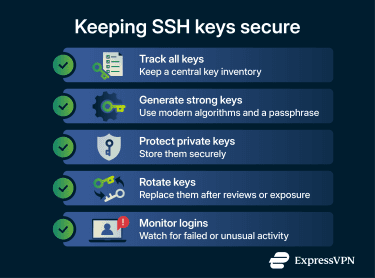
- Define a clear policy: Document rules for how teams create, use, and secure SSH keys, including approved algorithms, key lengths, and server hardening standards.
- Track all keys: Maintain a central inventory showing who owns each key, what systems it can access, and when it was added, reviewed, or retired
- Generate strong keys: Use modern algorithms such as Ed25519, where supported, or sufficiently strong RSA keys where RSA is required. For RSA, 2,048 bits is a common minimum baseline.
- Protect private keys: Private keys should never appear in repositories, shared files, or unencrypted storage. SSH agents, encrypted key files, and strict file permissions or passphrases help keep them secure.
- Rotate keys when needed: Replace keys during employee offboarding, after suspected compromise, or according to a defined review and renewal policy to limit how long any single credential remains valid.
- Monitor login activity: SSH logs can reveal repeated login failures, failed public key attempts, or unusual access patterns that may indicate unauthorized access.
- Use automation tools: Automation platforms can reduce manual errors and help teams enforce more consistent key management and security controls.
FAQ: Common questions about SSH key authentication
Why is SSH key authentication more secure than passwords?
How do I generate a Secure Shell (SSH) key?
Why is my SSH key not working?
How do I fix SSH permission denied errors?
Should I use RSA 2048 or 4096 for Secure Shell (SSH) keys?
Take the first step to protect yourself online. Try ExpressVPN risk-free.
Get ExpressVPN